How To Calibrate A Treadmill: Easy Step-By-Step Guide
To calibrate a treadmill, compare its speed and incline with trusted measurements, then adjust settings as the manual directs.
Learning how to calibrate a treadmill can improve workout accuracy, protect your joints, and make training data more useful. The process is usually simple, but each brand uses different service menus and belt controls. This guide explains the safest method, common errors, and practical checks used by treadmill technicians and experienced home users.

What Does Treadmill Calibration Mean?
Treadmill calibration is the process of checking and correcting the machine’s speed, incline, and sometimes distance readings. A treadmill may show 6.0 mph while the belt moves slightly faster or slower. Even a small error can affect pace training, calorie estimates, and walking comfort.
Calibration does not always mean that the treadmill is broken. Belts stretch, motors wear, rollers collect dust, and sensors can lose accuracy over time. Moving the treadmill, replacing a belt, or updating its console may also change its readings.
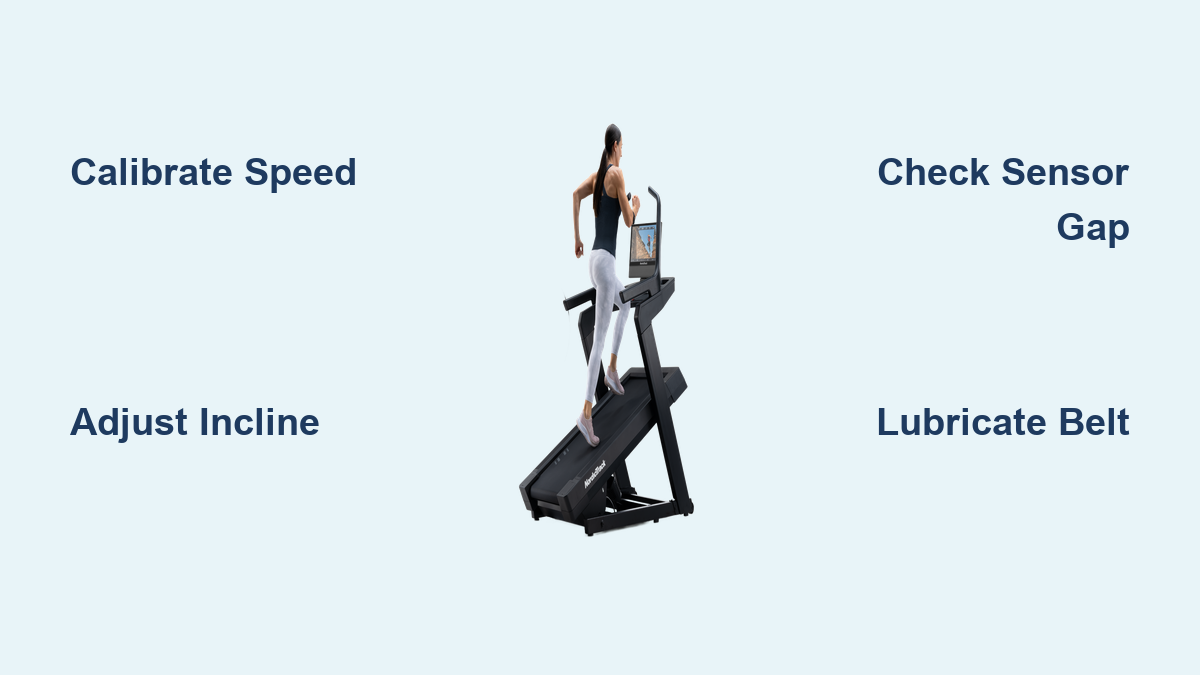
Most home treadmills need two types of calibration:
• Speed calibration checks how fast the belt really moves.
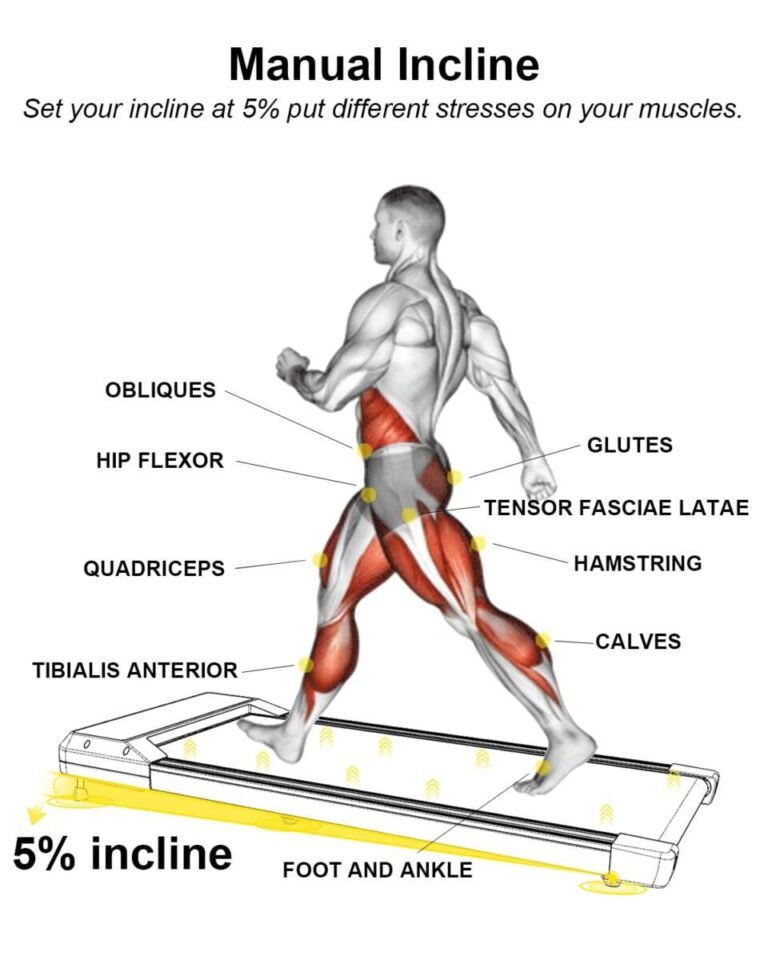
• Incline calibration checks whether the deck rises and lowers to the correct levels.
• Distance calibration checks whether the console counts belt movement correctly.
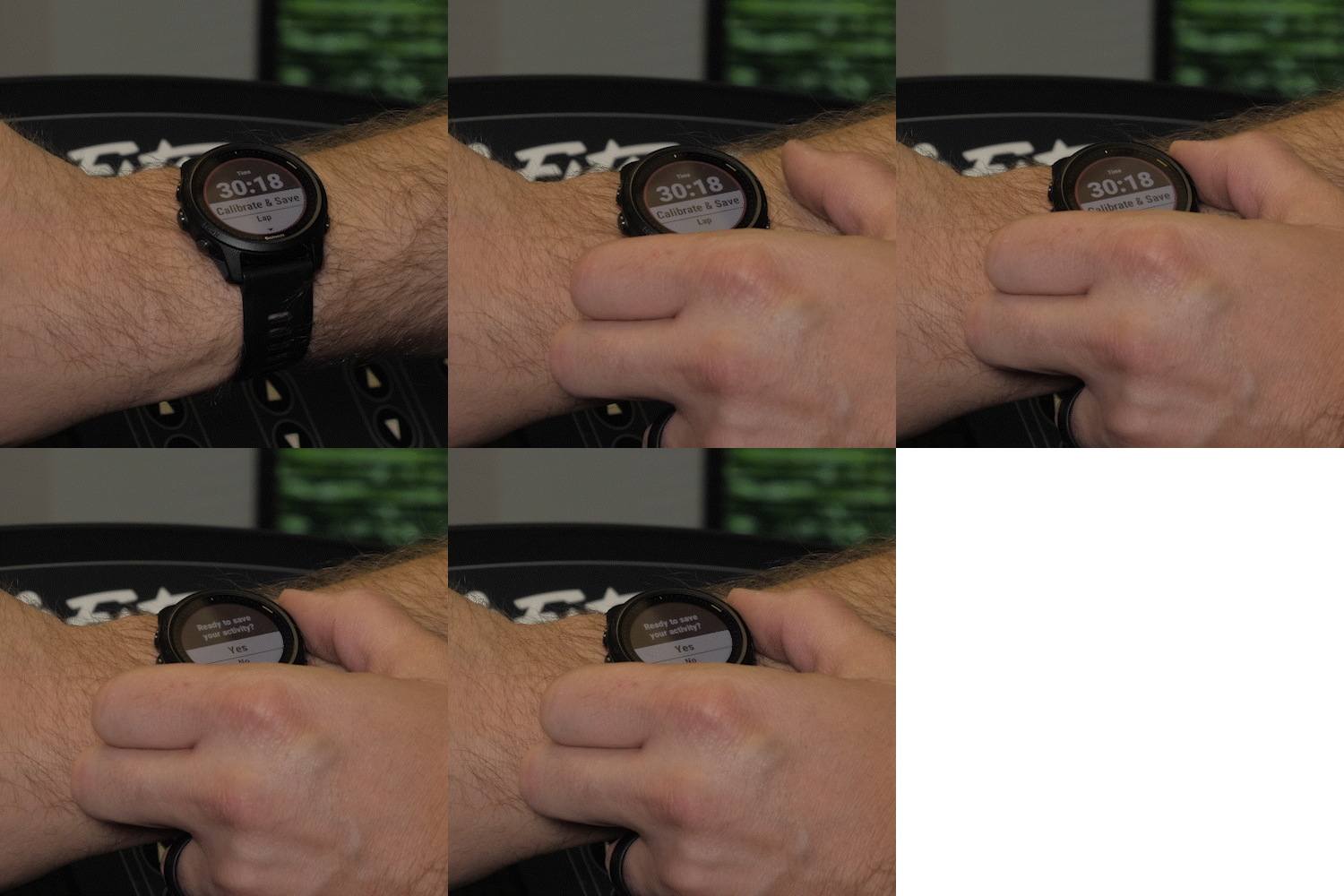
Some models combine all three tasks in an automatic calibration mode. Others require a manual test with a stopwatch, tape measure, or tachometer.
Why Should You Calibrate a Treadmill?
Accurate treadmill settings help you match indoor workouts to outdoor training. If the belt runs too fast, an easy walk may feel harder than expected. If it runs too slowly, your pace data may give you a false sense of progress.
Calibration also supports safer exercise. A belt that speeds up, slows down, or changes incline without matching the display can increase the risk of losing balance. Older adults, people in rehabilitation, and runners doing interval training should pay close attention to this issue.
Here are the main benefits of learning how to calibrate a treadmill:
• More accurate speed and distance readings
• Better pacing during walking, running, and interval workouts
• More reliable workout records
• Safer incline training
• Easier comparison between indoor and outdoor sessions
• Earlier detection of belt, motor, or sensor problems
The American College of Sports Medicine recommends regular equipment checks as part of safe exercise practice. A calibrated machine cannot replace good form or medical advice, but it gives you a more dependable training platform.

When Should You Calibrate a Treadmill?
Many manufacturers suggest checking treadmill performance once or twice a year. You should also inspect the machine after any repair, belt replacement, or major move.
Consider calibration if you notice:
• The belt feels faster or slower than the console says
• Your usual pace suddenly feels different
• Distance readings do not match your running watch or track workouts
• The incline does not return to zero
• The deck rises unevenly
• The belt surges during a steady workout
• The motor sounds strained
• The belt slips when you run
A treadmill may also need calibration when it has been stored for a long time. Temperature, dust, and changes in belt tension can affect performance.
In my treadmill checks, the most common mistake has been waiting for a major fault. People often notice a small pace change but assume it is due to fatigue. A quick speed check can reveal the real cause before the issue becomes expensive.

What You Need Before You Start
Before you calibrate a treadmill, read the owner’s manual. Look for terms such as “calibration mode,” “engineering mode,” “speed calibration,” or “incline calibration.” The button sequence can vary widely between brands and models.
Prepare these items:
• The treadmill’s owner’s manual
• A stopwatch or phone timer
• A measuring tape
• Masking tape or a washable marker
• A level surface
• A clean, dry cloth
• A belt lubricant approved by the manufacturer, if needed
• A handheld tachometer, if you want a highly precise speed check
Wear athletic shoes and keep loose clothing away from the moving belt. Place the treadmill at least two feet from walls and furniture when possible. Keep children and pets away while the belt is moving.
Never remove the motor cover while the treadmill is plugged in. Some components can store electrical energy even after you turn the machine off. If you smell burning, see sparks, or hear a sharp grinding sound, stop the test and contact a qualified technician.
How to Calibrate a Treadmill Step by Step
The following process works for many home treadmills. Your manual should always take priority because calibration steps differ by manufacturer.
1. Inspect the treadmill
Turn off and unplug the treadmill. Check the power cord, plug, frame, rollers, belt, and deck for visible damage.
Look for:
• Frayed belt edges
• Cracks in the walking belt
• Loose screws
• Excessive belt slack
• Dry or dirty deck surfaces
• Debris near the front roller
A damaged belt cannot be fixed through calibration. Repair the mechanical problem first.
2. Position the treadmill correctly
Place the treadmill on a firm, level floor. A sloped floor can make incline readings seem wrong and may cause the belt to track toward one side.
Use a small bubble level on the frame if needed. Do not use the deck itself as your only reference because the deck may flex under weight.
3. Let the machine warm up
Plug in the treadmill and turn it on. Let the belt run for three to five minutes at a low speed, such as 2.0 mph.
This warm-up allows the motor, belt, and rollers to reach normal operating conditions. Testing a cold treadmill may produce results that change after several minutes.
4. Enter calibration mode
Follow the instructions in the manual. Common methods include holding two console buttons while turning on the treadmill. Some models use a service code or a settings menu.
Write down the original settings before changing anything. Take a photo of the screen if the machine shows a service value. This gives you a safe reference if you need to restore the original configuration.
5. Run the automatic calibration cycle
If your treadmill has automatic calibration, select the function and stand off the belt. The machine may speed up, slow down, and move through several incline levels.
Stay close to the emergency stop key. Do not step on the belt unless the manual specifically tells you to do so.
The cycle may take several minutes. Do not press buttons or unplug the treadmill while it runs. Interrupting the process can leave the machine with incorrect speed or incline values.
6. Check the belt speed manually
If the treadmill requires a manual check, mark a point on the belt with masking tape. Measure and mark a second point 10 feet away along the belt’s length.
Run the belt at a set speed. Use a stopwatch to measure how long the mark takes to travel the measured distance. Repeat the test at low, medium, and high speeds.
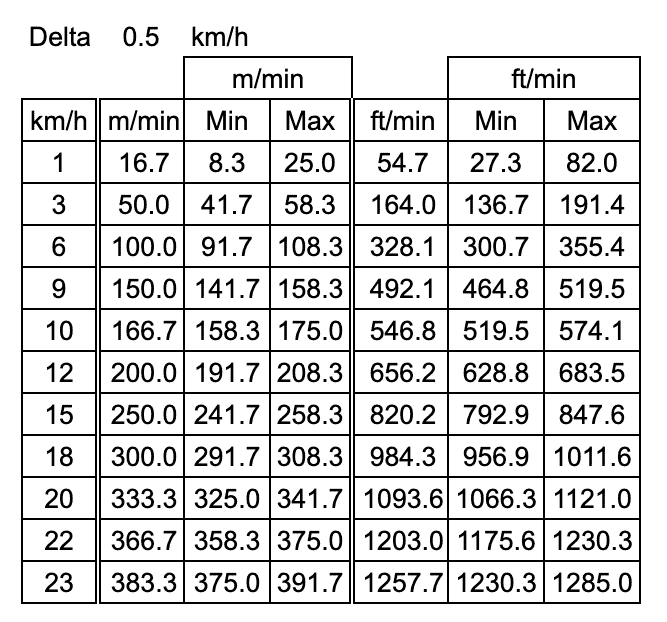
To convert the result to miles per hour, use this formula:
Speed in mph = distance in miles ÷ time in hours
For a simpler test, measure how many seconds the belt takes to complete one full loop. This method is less convenient because you must know the belt’s exact loop length.
A handheld tachometer usually gives a more precise reading. Use one only as directed by its instructions, and keep your hands, clothing, and device away from the moving belt.
7. Adjust the speed setting only when required
Some treadmills let you enter a correction value. Others require a technician to adjust a motor controller or sensor.
Do not guess at electronic settings. A small change may have a large effect at higher speeds. If the manual does not explain the adjustment, contact the manufacturer or a qualified service professional.
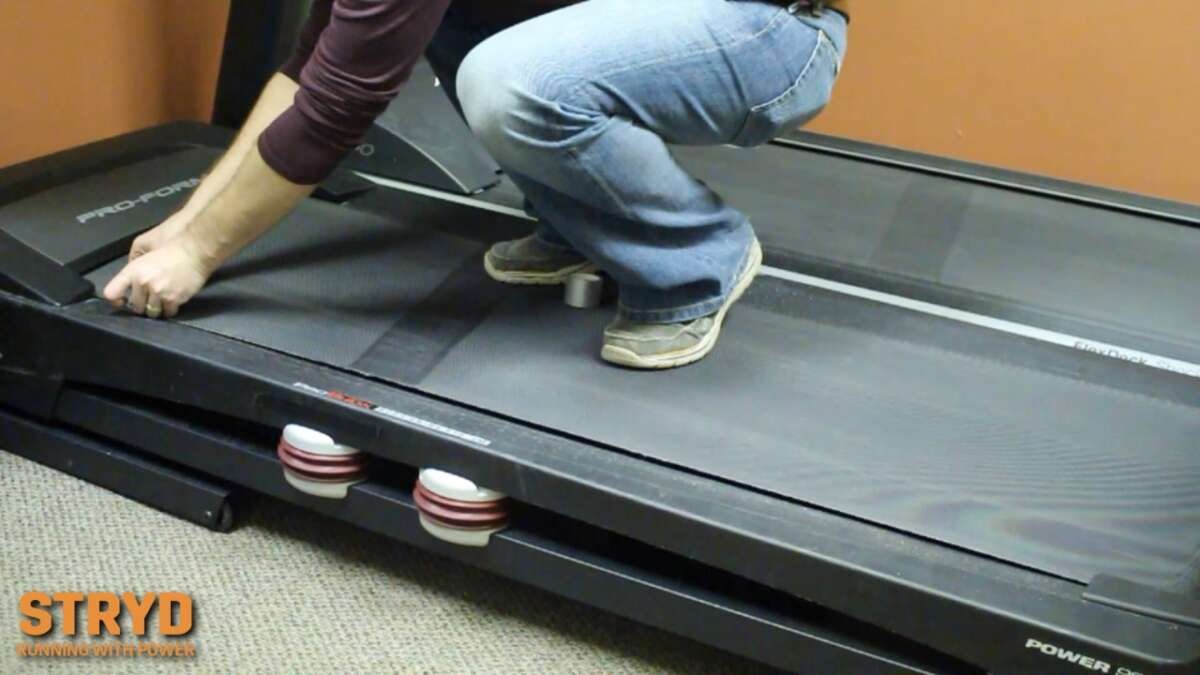
8. Calibrate the incline
Start with the treadmill at zero incline. Check whether the deck looks level and whether the console shows zero.
Use the manual to begin the incline calibration cycle. The treadmill may move to its lowest point, rise to its highest point, and return to zero.
Keep your feet off the deck during this process. An incline motor can move with strong force, and standing on the deck may affect the result or create a safety risk.
9. Test the final result
After calibration, run the treadmill at several speeds. Walk first, then test a gentle jog if the machine is designed for running.
Check for:
• Smooth acceleration
• Stable speed
• A level starting position
• Even belt tracking
• No unusual noise
• No slipping or hesitation
If the display and your measurements still disagree, repeat the test once. If the problem remains, the issue may involve a speed sensor, motor controller, belt, roller, or power supply.
How to Check Treadmill Speed Without Special Tools
You can perform a basic treadmill speed check with a measuring tape and stopwatch. It will not match the precision of a technician’s test equipment, but it can reveal a clear error.
Place two marks on the belt at a known distance. A 10-foot section is easy to measure. Start the belt at a low speed and time one mark as it travels between the two points.
Repeat the test three times and calculate the average. Do not rely on one timing result because starting and stopping a stopwatch creates a small human error.
For example, if the belt travels 10 feet in about 1.14 seconds, it is moving close to 6.0 mph. A difference of a few hundredths of a second is normal in a home test. A large difference suggests that the treadmill needs further inspection.
Smartwatches and fitness apps are not ideal tools for treadmill calibration. Their distance estimates often depend on arm motion, stride length, or past outdoor data. Use them as a comparison, not as the main measurement.

How to Calibrate Treadmill Incline
Incline calibration makes sure the deck reaches the height shown on the console. It is especially important for hill workouts and rehabilitation plans.
Begin with the treadmill turned off. Look at the gap between the deck and the floor at zero incline. Then turn on the machine and compare the position after it completes its automatic cycle.
Most home users should not measure the exact angle with a phone app. Phone sensors can be affected by the frame, vibration, and placement. The treadmill’s own calibration routine is usually the best method for restoring the correct zero and maximum points.
If the incline remains stuck, moves in small jumps, or makes a clicking sound, inspect the following:
• Incline motor connections
• Lift screw or actuator
• Limit switches
• Frame bolts
• Debris around the lift system
Unplug the treadmill before inspecting any parts. Never place your fingers under the deck. If the lift system does not move smoothly, use professional service.
Belt Tension and Lubrication Matter
Calibration cannot correct every treadmill problem. A loose belt may slip under your weight, while an overly tight belt can strain the motor and create inaccurate speed changes.
With the treadmill unplugged, lift the walking belt at the center of the deck. Many manufacturers recommend a small gap, often around two to three inches, but the correct amount depends on the model. Follow the manual instead of using a general rule.
Apply lubricant only when the manufacturer permits it. Silicone treadmill lubricant is common, but some belts are prelubricated or use a different system.
Avoid these mistakes:
• Spraying lubricant on the top of the belt
• Using automotive oil
• Using WD 40 unless the manufacturer specifically permits it
• Adding too much lubricant
• Adjusting both rear roller bolts without counting turns
A belt that drifts to one side may need tracking adjustment. Turn the correct rear roller bolt in very small steps, usually one quarter turn at a time. Run the belt briefly after each change. Large adjustments can damage the belt or roller.

Common Calibration Problems and Solutions
The treadmill will not enter calibration mode
Confirm that you are using the correct button sequence for your exact model. Some machines require the safety key to be inserted first, while others need the key removed.
If the console does not respond, unplug the treadmill for several minutes and try again. Do not enter random service codes because they may change settings unrelated to calibration.
The speed changes during a steady workout
A loose belt, worn motor brushes, dirty speed sensor, or weak power supply may cause speed changes. Running the treadmill on a long extension cord can also reduce voltage and affect performance.
Plug the treadmill directly into a grounded wall outlet when the manual recommends it. If the belt continues to surge, stop using the machine until it has been inspected.
The incline does not return to zero
The incline may have lost its reference position. Run the manufacturer’s incline calibration cycle and check whether the deck returns to level.
If it does not, the lift motor, sensor, or limit switch may need service. Do not force the deck down by hand.
The belt slips when you run
Belt slipping often comes from low tension, excess lubricant, a worn belt, or a damaged front roller. Calibration will not solve a mechanical slip.
Clean the deck, check belt tension, and follow the manual’s adjustment instructions. If the belt still slips, arrange a professional inspection.
The console shows an error code
Write down the code and search for it in the owner’s manual. Error codes can point to a speed sensor, incline motor, communication cable, or motor controller.
Turn off the treadmill and unplug it before checking accessible connections. Avoid opening electronic control boxes unless you are trained to work safely with electrical equipment.
How Accurate Should a Treadmill Be?
No home treadmill is perfectly exact. Small differences can come from belt wear, temperature, user weight, power supply, and measurement tools.
A basic home stopwatch test may have more error than the treadmill itself. For everyday walking and general fitness, a small speed difference may not matter. For race training, physical therapy, or repeated performance testing, consistency matters more than chasing perfect numbers.
Use the same treadmill, shoes, warm-up, and workout settings when comparing sessions. This creates a reliable baseline.
Research on treadmill exercise shows that indoor running can feel different from outdoor running because of airflow, visual cues, surface response, and temperature. A calibrated treadmill improves measurement, but it does not make indoor and outdoor running identical.
How to Keep a Treadmill Calibrated
Good care reduces the need for frequent calibration. Keep the treadmill in a clean, dry room and wipe dust from the frame after workouts.
Follow the maintenance schedule in the manual. Common tasks include:
• Cleaning around the belt and motor area
• Checking belt alignment
• Inspecting power cords
• Lubricating when required
• Tightening loose hardware
• Checking incline movement
• Keeping the treadmill on a stable surface
Avoid placing a treadmill on thick carpet unless the manufacturer approves it. Carpet can restrict airflow and allow dust to enter the motor area.
I once saw a user adjust the rear roller repeatedly because the belt seemed slow. The real problem was heavy dust around the motor and a dry deck. The lesson was simple: inspect the whole machine before changing one setting.
Safety Tips Before You Calibrate a Treadmill
Treat a moving treadmill like a powered machine, not just a piece of fitness furniture. Keep one hand near the emergency stop key during manual tests.
Use these safety rules:
• Remove jewelry and loose clothing
• Keep children and pets away
• Do not stand on the belt during automatic calibration
• Unplug the treadmill before mechanical inspection
• Keep hands away from rollers and the underside of the deck
• Stop immediately if you smell burning or see smoke
• Do not bypass the safety key
• Ask a technician for help with electrical repairs
If you have a heart condition, balance problem, or recent injury, follow your clinician’s advice before testing high speeds or steep inclines. Calibration is useful, but personal safety comes first.
Frequently Asked Questions About How to Calibrate a Treadmill
How often should you calibrate a treadmill?
Check treadmill speed and incline at least once or twice a year, or whenever performance feels different. Calibrate it after moving the machine, replacing the belt, or completing major repairs.
Can I calibrate a treadmill without special tools?
Yes, many treadmills have an automatic calibration mode. For a basic manual check, you can use a measuring tape and stopwatch, but a technician’s tachometer gives more precise speed data.
Why does my treadmill feel faster than the displayed speed?
The belt may be moving faster than the console reports, or your outdoor pace may not translate directly indoors. Belt tension, motor control, incline, airflow, and fatigue can also change how fast the treadmill feels.
Does treadmill calibration fix belt slipping?
Usually not. Belt slipping often results from incorrect tension, excess lubricant, a worn belt, or a damaged roller, so the mechanical cause must be corrected first.
Can I calibrate the treadmill incline myself?
You can usually run the built-in incline calibration cycle yourself. Do not place your hands under the deck or adjust electrical parts unless you have the proper training.
How do I know if my treadmill speed is accurate?
Measure a known section of belt with a stopwatch at several speeds and compare the result with the display. Repeat each test to reduce timing errors, and use a tachometer for more precise checks.
Should I calibrate a new treadmill?
A new treadmill normally arrives calibrated, but it is wise to test the speed and zero incline after setup. Contact the seller or manufacturer if the readings seem wrong during the warranty period.
Conclusion
Learning how to calibrate a treadmill helps you trust your speed, distance, and incline readings. Start with the owner’s manual, inspect the belt and deck, use the built-in calibration mode when available, and test the machine at several speeds.
Do not ignore slipping, surging, unusual noise, or incline problems. These signs may point to a mechanical or electrical fault that calibration alone cannot fix. Try the checks in this guide, keep a record of your results, and contact a qualified technician when the problem continues.
A few careful minutes today can make every future workout safer and more consistent. Bookmark this guide, share your treadmill experience, or explore your manufacturer’s maintenance resources for model-specific advice.

Brandon Knoxley is a sport & fitness writer and training guide contributor at MySportFitHub. He focuses on practical workouts, performance-based training, and honest fitness gear insights designed for real people and real results. Brandon is passionate about helping beginners and active individuals train smarter, avoid common mistakes, and build sustainable fitness habits.