
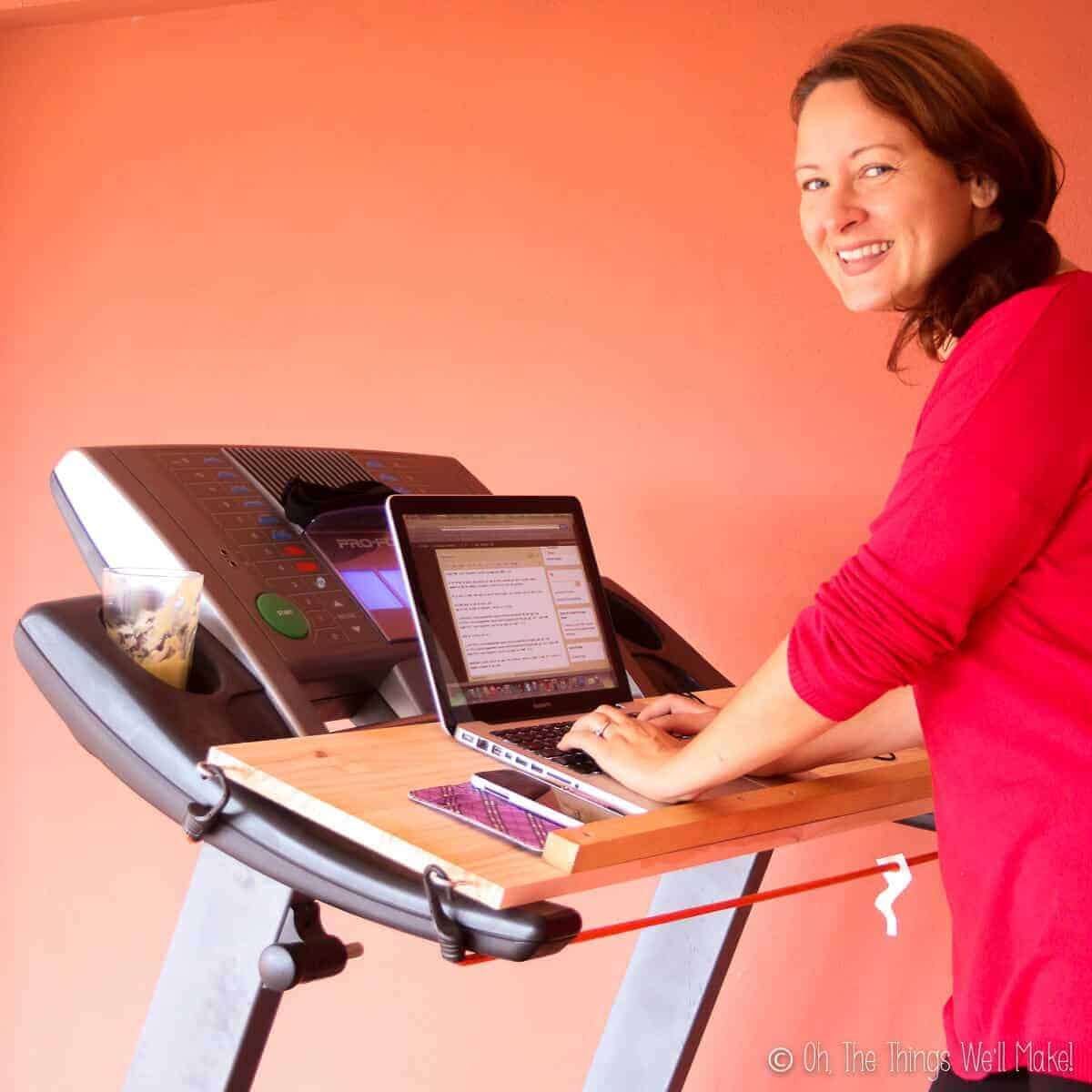
Do It Yourself Treadmill Desk: Easy DIY Setup Guide
A do it yourself treadmill desk combines a walking treadmill with a stable work surface for gentle movement while working.
A do it yourself treadmill desk can turn an unused corner into a simple, active workspace without the high cost of a store-bought model. The key is not fancy design. It is safe walking speed, steady support, good screen height, and enough room to move naturally. This guide explains how to build one, choose the right parts, avoid common mistakes, and use it without hurting your focus or joints.

What Is a Do It Yourself Treadmill Desk?
A do it yourself treadmill desk is a walking workstation that pairs an under-desk treadmill with a custom or adapted desk surface. You can build the desk from wood, metal shelving, a standing desk frame, or even a strong table placed over the treadmill.
Unlike a regular treadmill, a walking treadmill desk is made for slow movement while you work. Most users walk between 0.5 and 2 miles per hour. This pace is slow enough for typing, reading, video calls, and light computer tasks.
A do it yourself treadmill desk usually includes:
• A compact walking treadmill without tall handrails
• A desk surface or tabletop
• A strong frame, legs, or support brackets
• A monitor, laptop, or tablet stand
• A cable management system
• An anti-fatigue mat for use beside the treadmill
The best design feels like a normal standing desk with a moving belt under it. Think of it as adding a quiet stream beneath your feet. It should support your work without demanding constant attention.
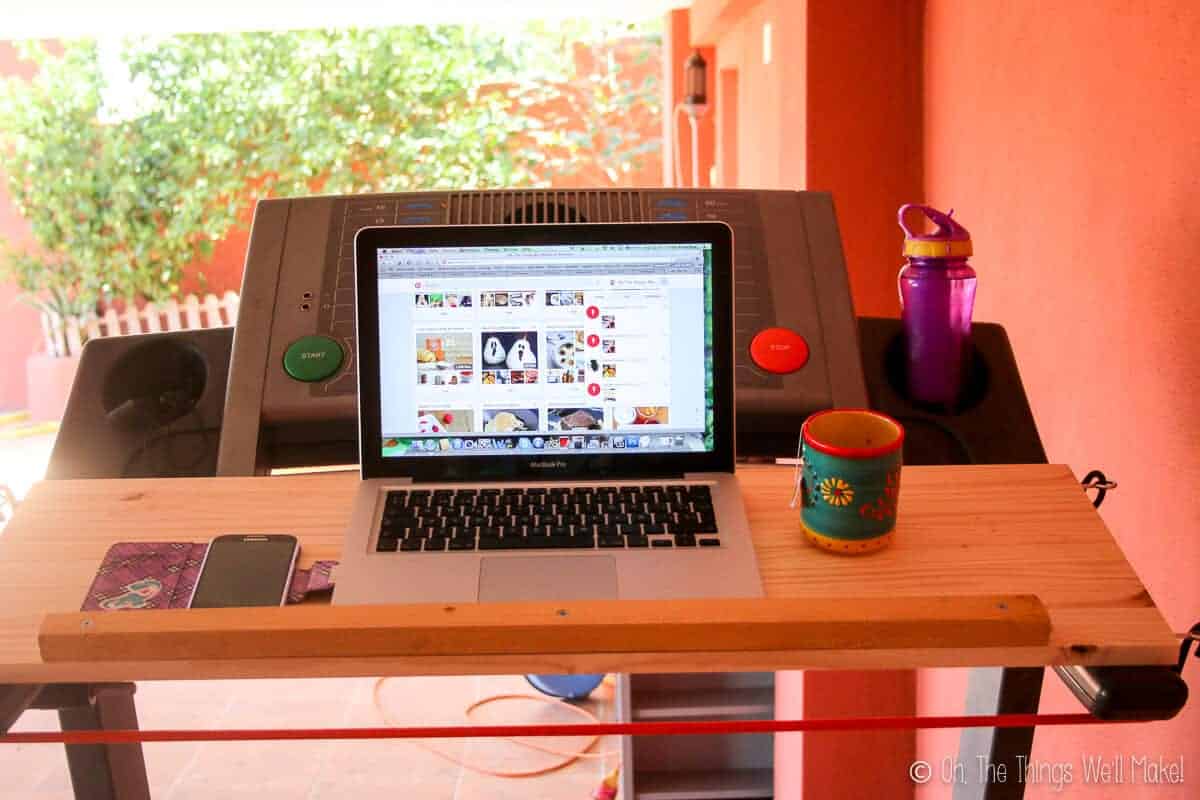
Why Build Your Own Treadmill Desk?
The biggest reason to build a do it yourself treadmill desk is flexibility. Commercial treadmill desks may cost hundreds or thousands of dollars. A homemade setup can use furniture and equipment you already own.
A DIY build also lets you match the desk to your height, room, monitor size, and work habits. You can make the desk fixed, adjustable, foldable, or easy to remove when you need the treadmill for another purpose.
Common benefits include:
• Lower cost than a complete treadmill desk
• More control over desk height and width
• Easy replacement of individual parts
• Better use of a small home office
• A chance to reuse an old desk or tabletop
• More freedom to choose a quiet treadmill
Walking during low-intensity work may also help reduce long periods of sitting. Research on sedentary behavior supports breaking up extended sitting with light movement. Still, a treadmill desk is not a complete fitness plan. It is best viewed as a simple way to add more movement to your workday.
A do it yourself treadmill desk can also support routine. A short walk during email or reading may feel more realistic than trying to schedule a full workout every day.

What You Need Before You Start
Before building a do it yourself treadmill desk, measure your space and define how you will use it. A desk for email and typing needs less room than one for two large monitors, speakers, notebooks, and a webcam.
Make a simple list of your work tools:
• Laptop or desktop computer
• One or more monitors
• Keyboard and mouse
• Headset or microphone
• Notebook and pens
• Phone charger
• Water bottle
Measure the treadmill’s length and width. Then measure the walking space around it. Leave enough room behind the treadmill to step off safely. Avoid placing the unit against a wall unless the design instructions clearly allow it.
A practical home setup needs:
• At least a few feet of clear space behind the treadmill
• A level floor
• A nearby power outlet
• Enough ceiling height for standing and walking
• Good lighting
• A stable surface for your computer
Check the treadmill’s maximum user weight, belt width, speed range, and warranty. Do not assume that a compact treadmill can handle all types of use. Some models are designed for short walking sessions, while others are built for many hours of daily operation.
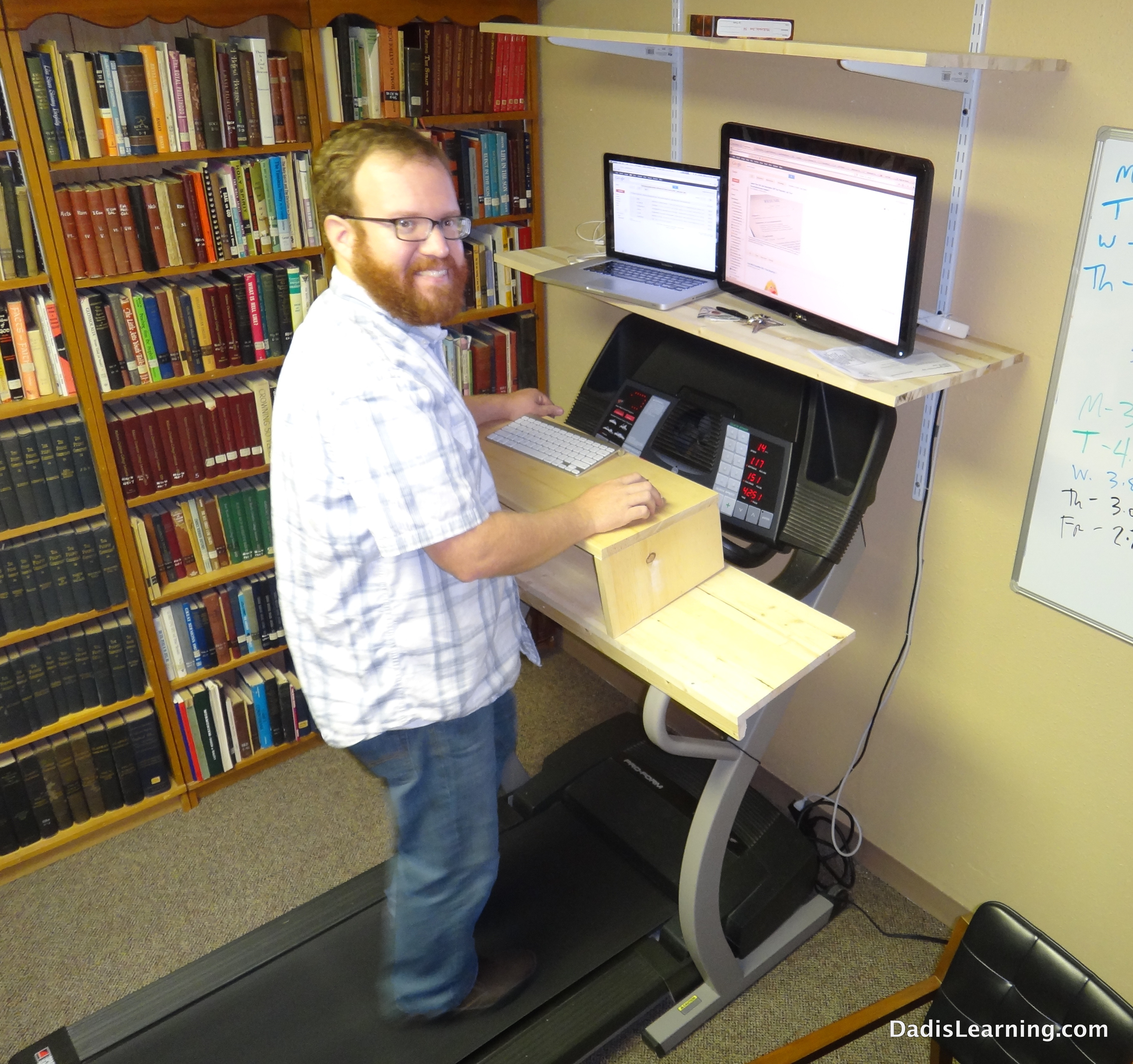
Choosing the Right Walking Treadmill
The treadmill is the most important part of a do it yourself treadmill desk. A weak or noisy treadmill can make the entire project frustrating.
Look for a walking treadmill with these features:
A low starting speed
The treadmill should start slowly, ideally around 0.5 miles per hour. A low speed helps you step on safely and find your balance before increasing the pace.
A wide walking belt
A wider belt gives you more room to correct a step. A belt around 18 to 20 inches wide is often more comfortable for desk use than a very narrow walking surface.
A quiet motor
Noise can affect calls, recordings, and concentration. Read independent reviews when possible, and remember that motor noise may increase under heavier users or during long sessions.
A simple remote control
Many under-desk treadmills use a handheld remote. Choose one with clear speed controls and a reliable emergency stop feature. Keep the remote in a fixed place so you can find it without looking down.
A suitable weight rating
Select a model with a weight rating well above your body weight. Extra capacity may reduce strain on the motor and improve long-term reliability.
A flat, low-profile design
A do it yourself treadmill desk works best with a treadmill that fits beneath the desk. Tall rails may block your desk frame or limit your walking space.
I have found that people often focus on price first and noise second. That order can lead to regret. A treadmill that is quiet, stable, and easy to control is usually more useful than one with extra features you will never use.
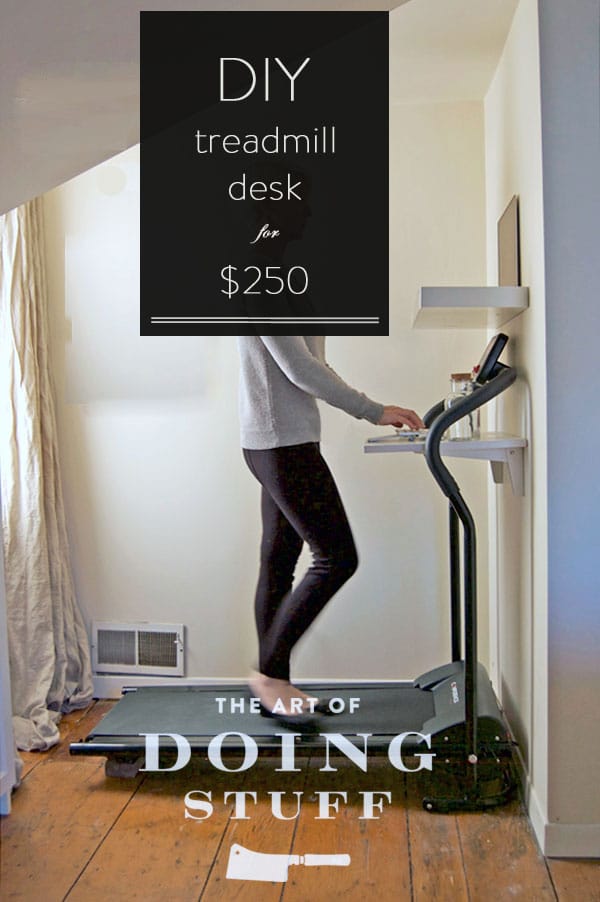
Three Simple DIY Treadmill Desk Designs
You do not need advanced woodworking skills to build a do it yourself treadmill desk. Choose a design that matches your tools, space, and comfort level.
Design 1: A tabletop over a treadmill
This is the simplest option. Place a sturdy tabletop on two side supports or desk legs so the treadmill can slide beneath it.
Use a tabletop that is:
• At least 24 inches deep
• Wide enough for your monitor and keyboard
• Strong enough to resist shaking
• Smooth and free of sharp edges
The table must not rest on the moving treadmill. It should stand independently on the floor. This point matters. If the desk moves with the treadmill, your monitor and keyboard may shake, and the whole structure may become unsafe.
Design 2: A fixed standing desk frame
A fixed frame gives better stability. You can use a standing desk base, metal legs, or a wooden frame. Set the desk height so your elbows stay close to 90 degrees while you type.
This option works well if you plan to leave the treadmill in place. It may be less convenient if you want to remove the treadmill or use the room for another purpose.
Design 3: A rolling desk bridge
A rolling bridge has wheels and can move over the treadmill. It may include a tabletop, two side panels, and locking casters.
Use locking wheels only. Unlocking the wheels while walking can let the desk drift. Before each session, confirm that the casters are locked and the desk does not rock.
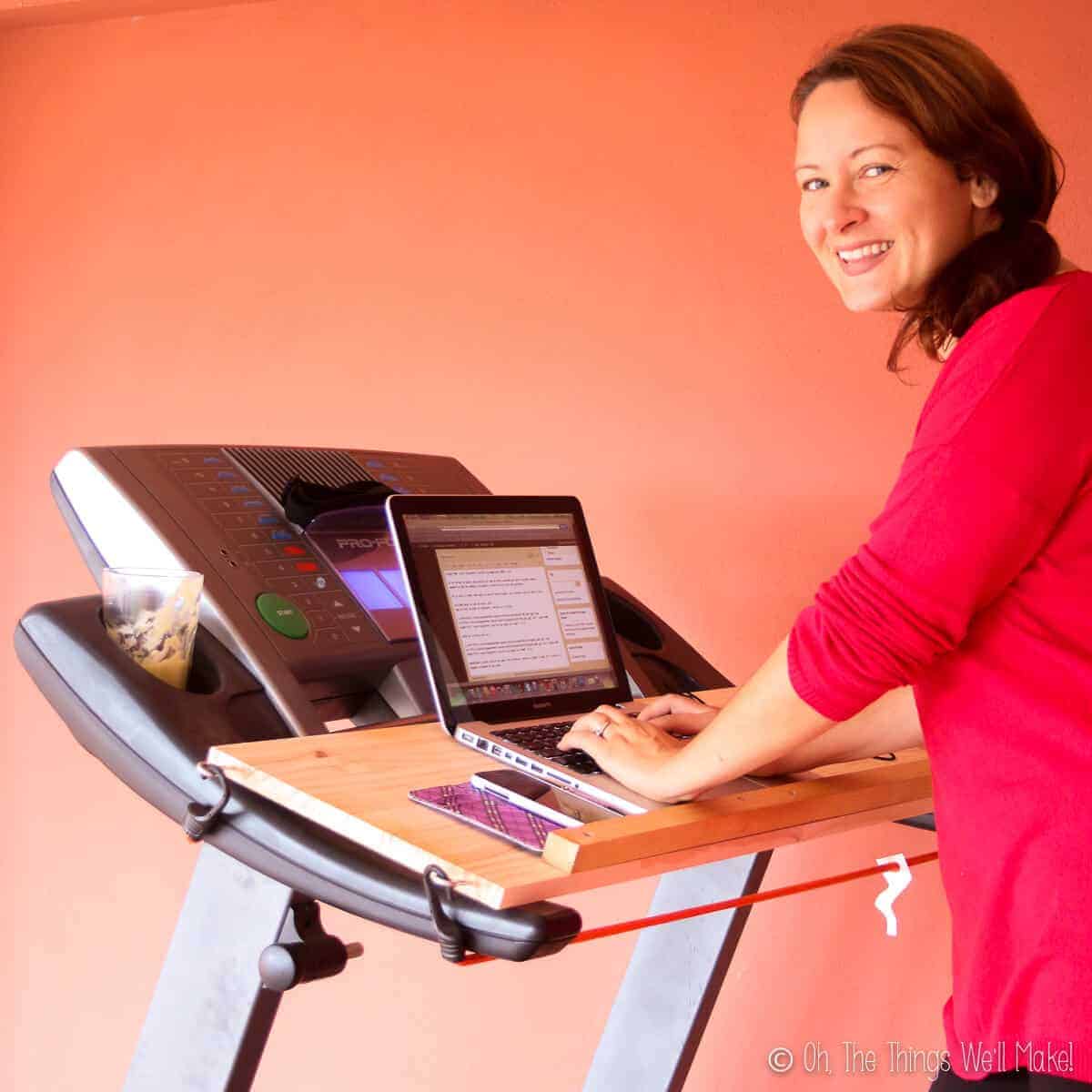
How to Build a Do It Yourself Treadmill Desk
Follow these steps for a basic fixed desk design.
1. Measure your ideal desk height
Stand in your normal walking shoes. Let your arms rest by your sides and bend your elbows as if typing. Measure the height of your hands from the floor.
Your keyboard should sit near elbow height. Your shoulders should stay relaxed. If you raise your shoulders or bend your wrists sharply, the desk is too high or too low.
2. Choose and prepare the tabletop
A solid wood panel, laminated board, or strong desktop can work. Sand rough edges and seal unfinished wood if needed.
Avoid thin boards that flex under the weight of a monitor. A moving treadmill can make small desk vibrations feel much worse.
3. Build or install the support frame
Attach the tabletop to stable legs or a standing desk frame. Use the correct screws and hardware for the material. Follow the frame manufacturer’s weight limit.
Do not attach the desk to the treadmill. The desk and treadmill should remain separate units.
4. Add monitor support
Place the monitor so the top of the screen is near eye level. You should be able to look forward with a relaxed neck.
A monitor arm can save desk space, but make sure it is securely attached. A heavy monitor arm can tip a narrow tabletop if the base is not centered.
5. Add cable management
Use clips, sleeves, or a cable tray to keep wires away from the belt and your feet. Leave enough slack for desk adjustments, but do not leave loose cables on the floor.
6. Test the structure
Push the desk from several directions. Walk beside it. Turn the treadmill on at the lowest speed and watch for shaking.
Place your computer on the desk only after the frame passes this test. A few minutes of testing can prevent a costly fall.

Ergonomics for a Safer Setup
Good ergonomics matter as much as the desk itself. A do it yourself treadmill desk can cause neck, wrist, or back pain when the screen and keyboard are poorly placed.
Use these setup rules:
• Keep your screen about an arm’s length away
• Place the top of the screen at or slightly below eye level
• Keep your elbows near your sides
• Let your wrists stay straight
• Keep your shoulders relaxed
• Look ahead instead of watching your feet
• Wear supportive shoes
• Keep the walking speed slow during detailed work
If your feet hit the front or back of the belt, reduce the speed. This often means the treadmill is too fast, the belt is too short, or you are trying to work while walking beyond your comfort level.
An anti-fatigue mat belongs beside the treadmill, not on the moving belt. Use it when standing at the desk without walking. Never place a loose mat where it can touch the belt.
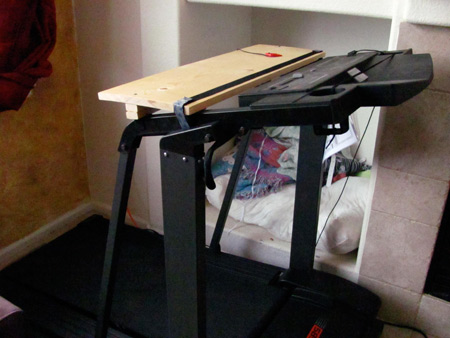
How to Use a Do It Yourself Treadmill Desk
Start with short sessions. Try 10 minutes while reading easy emails or listening to a meeting. Increase the time gradually as your balance and focus improve.
A simple progression may look like this:
-
Walk for 10 minutes at 0.5 to 1 mile per hour.
-
Rest or work while standing for 10 minutes.
-
Repeat once if you feel stable.
-
Add five minutes every few days.
-
Stop or slow down if you notice pain, dizziness, or poor focus.
Use the treadmill for tasks that do not require perfect precision. Good examples include:
• Reading articles
• Reviewing documents
• Answering simple emails
• Joining audio calls
• Watching training videos
• Brainstorming
Typing, spreadsheet work, design tasks, and detailed editing may require a slower pace or a seated break. A treadmill desk should support your work, not make every task harder.
One lesson I would emphasize is to avoid chasing a step count during work. When people try to walk too fast, their typing suffers and their posture changes. The goal is steady movement, not a race.

Common Mistakes to Avoid
Even a well-planned do it yourself treadmill desk can fail if small details are ignored.
Making the desk too high
A high tabletop forces your shoulders upward. This can cause neck tension and shoulder fatigue. Adjust the desk based on your keyboard position, not just your standing height.
Choosing a narrow treadmill
A narrow belt leaves little room for natural movement. It may also make you feel nervous, which can increase stiffness.
Ignoring vibration
A desk may seem stable when the treadmill is off but shake when the motor runs. Test the setup with the treadmill operating before placing expensive equipment on it.
Walking too fast
Fast walking makes typing and reading harder. It also increases the chance of stepping near the belt edge.
Skipping warm-up and breaks
Light walking still uses your calves, feet, hips, and lower back. Take breaks, change positions, and stop if pain continues.
Blocking the emergency exit
Your path off the treadmill must stay clear. Do not place boxes, chairs, or cables behind the machine.
Using a loose tabletop
A tabletop that shifts can damage your equipment. Secure it to a proper frame or use a stable desk designed to carry the load.
Safety and Maintenance
Read the treadmill manual before using a do it yourself treadmill desk. Follow its instructions for lubrication, belt alignment, cleaning, and electrical use.
Basic maintenance includes:
• Keep dust away from the motor area
• Check the belt for proper alignment
• Inspect the power cord for damage
• Tighten loose desk hardware
• Keep liquids away from electronics
• Lubricate the belt only as directed
• Test the emergency stop feature
Use a grounded outlet when required. Avoid overloaded power strips. Keep the treadmill away from damp areas, pets, and children who may activate the controls.
People with joint problems, balance concerns, heart conditions, or other medical issues should ask a qualified health professional before adding regular treadmill walking. Stop immediately if you feel chest pain, severe shortness of breath, faintness, or unusual pain.
A do it yourself treadmill desk is useful, but it is not risk-free. Clear space, slow speeds, and routine checks make a major difference.
Cost of a DIY Treadmill Desk
The total cost depends on what you already own. A basic project may include:
• Walking treadmill: often the largest expense
• Tabletop: new or reused
• Desk legs or frame
• Monitor stand
• Cable clips
• Anti-fatigue mat
• Hardware and tools
Reusing a strong desk can lower the cost. However, do not save money by using weak supports or a damaged treadmill. The desk carries expensive equipment, and instability can create a safety problem.
A smart budget focuses on the treadmill, frame strength, and ergonomics. Decorative parts can come later. A plain setup that works well is better than a beautiful setup that shakes or causes pain.
Is a Do It Yourself Treadmill Desk Worth It?
For many remote workers, a do it yourself treadmill desk is worth considering. It can add gentle movement to tasks that are already part of your day. It may also help make a home office feel less rigid and sedentary.
The setup is less useful if you need deep focus, move around often, or dislike background noise. Some users also find that walking affects mouse accuracy or makes video calls less comfortable.
Before buying parts, try walking slowly while reading on your phone. If you can stay relaxed and focused, a treadmill desk may fit your routine. If you feel unstable, test a different pace or consider a standing desk without a treadmill.
Frequently Asked Questions About a Do It Yourself Treadmill Desk
Can I use any treadmill for a DIY treadmill desk?
No. Choose a flat walking treadmill that fits under the desk and supports slow speeds. A standard running treadmill may have tall rails, a large motor housing, and a deck height that does not work well with a desk.
How fast should I walk at a treadmill desk?
Most people should start between 0.5 and 1 mile per hour. Stay at a speed that lets you type, read, and keep good posture without holding the desk for balance.
Can I place a desk directly on the treadmill?
No. The desk should stand independently on the floor. Placing the desk on the moving treadmill can create instability and may damage the desk, treadmill, or computer.
How long should I use a do it yourself treadmill desk?
Start with 10 to 15 minutes and build up slowly. Take regular breaks and change positions during the day instead of trying to walk continuously for many hours.
Is a treadmill desk good for weight loss?
It may increase daily energy use, but weight loss depends on overall activity, food intake, sleep, and health factors. A treadmill desk should support healthy habits, not replace regular exercise or medical advice.
Can I use a treadmill desk during video calls?
Yes, but use a slow speed and test your microphone first. Footstep noise and motor vibration may affect call quality, so standing still or sitting may be better for important meetings.
What desk height is best for a treadmill desk?
The correct height keeps your elbows close to 90 degrees while your wrists remain straight. Measure your keyboard position while wearing the shoes you normally use for walking.
Conclusion
A do it yourself treadmill desk can be a practical way to add light movement to your workday without buying a complete office system. The strongest builds use a quiet walking treadmill, an independent and stable desk frame, correct monitor height, safe cable routing, and a slow walking pace.
Start small. Build for stability first, test every part, and choose comfort over speed. If you create your own setup, share what worked, what you changed, and what you learned so other readers can build a safer desk too.

Brandon Knoxley is a sport & fitness writer and training guide contributor at MySportFitHub. He focuses on practical workouts, performance-based training, and honest fitness gear insights designed for real people and real results. Brandon is passionate about helping beginners and active individuals train smarter, avoid common mistakes, and build sustainable fitness habits.