
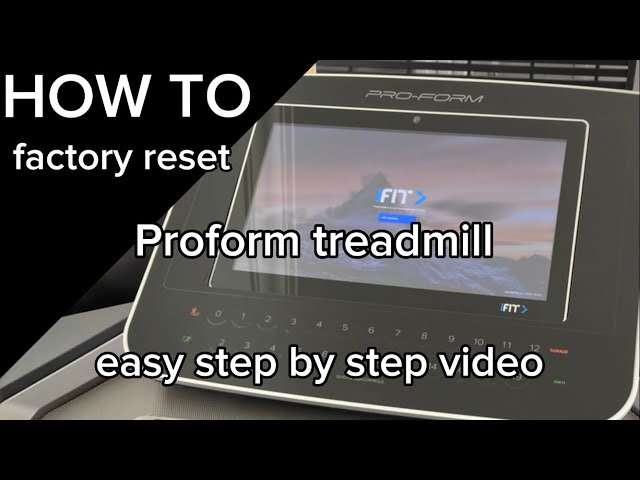
How To Reset Proform Treadmill: Quick Reset Guide
To reset a ProForm treadmill, unplug it for 60 seconds, plug back in, then perform a console or factory reset.
I’ve spent years fixing treadmills and coaching home gym users, so I know the frustration when a ProForm won’t respond. This guide explains how to reset a ProForm treadmill step by step, covers quick and full resets, troubleshooting tips, and maintenance to avoid repeat problems. Read on to get clear, actionable steps you can use right now to restore your treadmill and keep it running smoothly.
Why you might need to reset a ProForm treadmill
A reset often clears temporary errors. Electronic glitches, frozen consoles, and calibration issues are common reasons. A reset can also help after a power surge or software hiccup. Knowing how to reset ProForm treadmill saves time and may prevent a costly service call.

When to try a basic reset first
Try a basic reset when the console is frozen, the belt won’t start, or error codes show briefly. If the treadmill displays an error after a short interruption, a simple reset is often enough. Save the deeper fixes for persistent problems.

Quick reset steps (power cycle)
Follow these steps to perform the simplest reset. These are safe and effective for most minor issues.
- Turn off the treadmill using the console power button.
- Unplug the treadmill from the wall outlet.
- Wait 60 seconds. This lets capacitors discharge and clears memory.
- Plug the treadmill back in.
- Press the safety key into the console and power on.
- Try starting the treadmill slowly and watch for errors.
If the console still behaves oddly, try a second power cycle. Many users find success with this quick routine. Learning how to reset ProForm treadmill this way is your first line of defense.

Performing a console reset (soft reset)
A console reset clears the user interface without erasing stored settings. Use this when the display or buttons are unresponsive.
- Remove the safety key. Wait 10 seconds.
- Reinsert the safety key.
- Hold the Stop button for 3–5 seconds, if available.
- Follow any on-screen prompts to confirm reset.
If no Stop button is present, the power cycle method often forces a console reset. Knowing both methods helps when models vary. Practicing how to reset ProForm treadmill console improves response time during workouts.
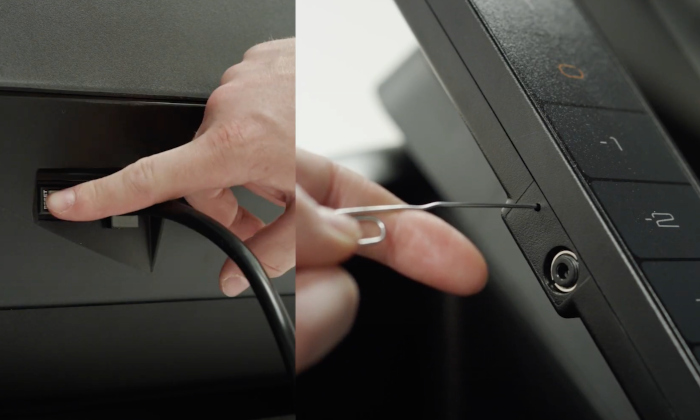
Factory reset (full reset) — when and how
Use a factory reset for persistent issues or after major software updates. This will erase user profiles and return settings to factory defaults.
- Turn the treadmill off and remove the safety key.
- Power on while holding the incline decrease and speed decrease buttons (button combos vary by model).
- Hold until the screen prompts a factory reset.
- Confirm by following on-screen directions.
- Allow the treadmill to reboot fully.
If you can’t access a factory reset, consult the manual or contact support. The exact button combo varies by model, so check your manual if a factory reset is required. Mastering how to reset ProForm treadmill to factory settings can solve software-level faults.

Common error codes and what a reset will do
Some errors clear after a reset. Others need repair.
- Error codes that often clear with reset: temporary sensor glitches, console freezes, minor comms failures.
- Error codes that likely need service: motor faults, speed sensor failures, and board errors that persist after reset.
Keep a list of displayed codes. If a code returns after a reset, note it for tech support. Understanding error patterns makes how to reset ProForm treadmill more effective and reduces downtime.
Troubleshooting if reset doesn’t work
If resets fail, follow these checks before calling a technician.
- Check the power outlet and cord for damage.
- Inspect the safety key and its contact points.
- Ensure the belt is properly aligned and lubricated.
- Look for loose connections at the console and motor hood.
- Try a different known-good outlet and avoid power strips.
If the console powers but won’t run the motor, the motor controller or deck may need service. Resetting is not a substitute for mechanical repair. Knowing the limits of how to reset ProForm treadmill prevents wasted effort and helps you give clear info to a tech.

Maintenance tips to reduce future resets
Regular care reduces the need to reset or repair.
- Lubricate the deck every 3 months or per manual instructions.
- Tighten belt and deck bolts once a month.
- Keep the console and vents dust-free.
- Use a surge protector or dedicated circuit.
- Store the treadmill in a dry, stable environment.
Routine maintenance cuts down on electronics errors and prolongs lifespan. I once stopped a repeated freeze issue simply by cleaning the console contacts. These small steps will reduce how often you need to reset ProForm treadmill.
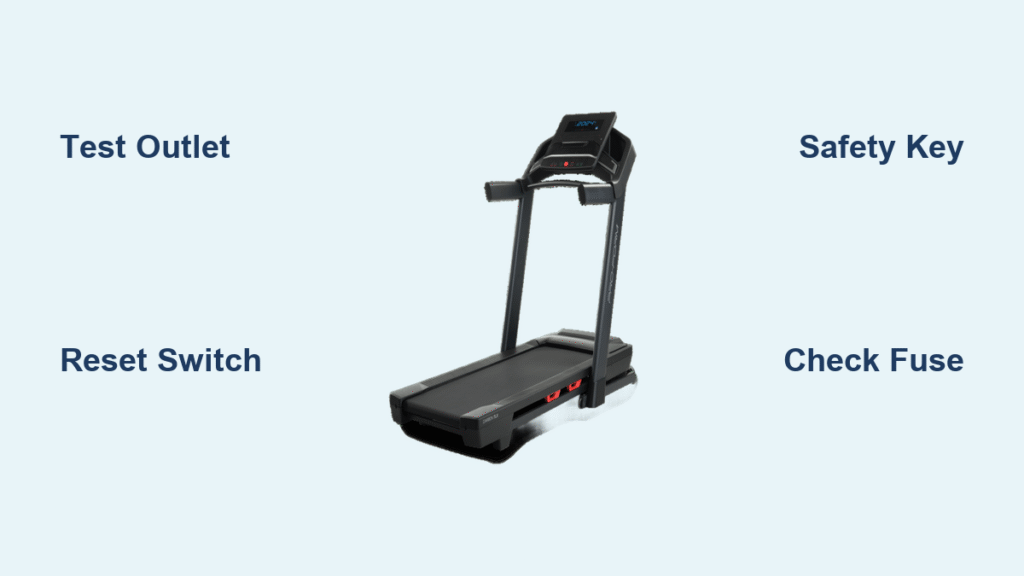
Personal experience and practical tips
I’ve reset dozens of ProForm units for clients and friends. The power cycle solved most issues. For one unit, a recurring freeze ended only after replacing a worn safety key. My lessons: keep the safety key clean, track error codes, and don’t ignore odd sounds. If you use a treadmill daily, add a monthly quick inspection to your routine.
Safety and warranty considerations
Always follow safety steps during resets. Unplug before opening the motor hood. If your treadmill is under warranty, check before doing anything that voids coverage. Many warranties cover electronic faults but not wear from improper maintenance. Be transparent with support if you’ve attempted resets.
Frequently Asked Questions of how to reset proform treadmill
How long should I unplug my ProForm treadmill for a reset?
Unplug for at least 60 seconds to allow capacitors to discharge and memory to clear. A second 60-second cycle can help if the issue persists.
Will resetting erase my workout history?
A soft console reset usually keeps workout history. A factory reset will erase user profiles and saved data, so back up what you can before proceeding.
Can I reset my treadmill without the safety key?
You need the safety key to start the console after a power cycle. Some console resets require the key in place. Replace a lost key to avoid limited functionality.
Is it safe to open the motor cover to check connections?
Only if the treadmill is unplugged. Always disconnect power and follow the manual. If unsure, contact a qualified technician.
How do I know if a reset solved the problem or I need repair?
If the treadmill works normally after a reset and stays stable for several uses, the reset likely fixed it. If errors return or mechanical issues persist, schedule service.
Conclusion
Resetting a ProForm treadmill is a useful first step for many console and software issues. Start with a simple power cycle, progress to a console reset, and use a factory reset only when needed. Pair resets with routine maintenance to reduce repeat problems and extend treadmill life. Try the steps here, track error codes, and if a problem persists, reach out to a professional or your warranty service.
Take action now: perform a quick reset, note any recurring error codes, and schedule one small maintenance task this week. Share your experience or questions below to help others troubleshoot their treadmill.

Brandon Knoxley is a sport & fitness writer and training guide contributor at MySportFitHub. He focuses on practical workouts, performance-based training, and honest fitness gear insights designed for real people and real results. Brandon is passionate about helping beginners and active individuals train smarter, avoid common mistakes, and build sustainable fitness habits.