How To Track Steps On Treadmill: Easy Guide
You can track steps on a treadmill with a smartwatch, fitness tracker, phone, treadmill display, or manual step estimate.
Learning how to track steps on treadmill workouts helps you measure daily movement more accurately. Treadmill walking can feel different from outdoor walking because the belt moves beneath you, your arms may stay still, and GPS often cannot help indoors. The right tracking method depends on your device, walking style, and how precise your results need to be.
What Counts as a Step on a Treadmill?
A step is one complete movement made when one foot contacts the walking surface. Your step count measures movement, while distance measures how far you travel. These numbers are related, but they are not the same.
For example, a short person may take more steps to cover one mile than a taller person. Your walking speed, stride length, incline, and fitness level also affect the result.
When you track steps on treadmill workouts, your device usually detects repeated motion. Most trackers look for wrist movement, arm swings, or motion from a sensor attached to your body.
Indoor walking creates a few tracking challenges:
• The treadmill belt moves, but you stay in one place.
• GPS cannot measure your route inside most gyms.
• Holding the treadmill rails can reduce arm movement.
• Slow walking may create less motion for your device to detect.
• Incline walking can change your stride and step length.
A treadmill display often estimates steps from speed, time, and a preset stride length. A wearable device may count steps from motion sensors. Neither method is perfect, but both can provide useful trends.
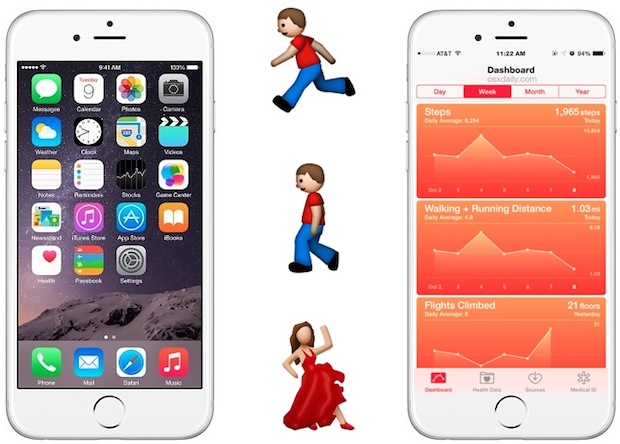
The Best Ways to Track Steps on a Treadmill
You have several ways to track treadmill steps. The best option depends on the equipment you own and how closely you want to measure your activity.
Use a smartwatch or fitness tracker
A smartwatch is often the easiest option. Devices from major brands use an accelerometer to detect motion. Some models also use a gyroscope and heart rate data to improve workout tracking.
Wear the watch snugly on your wrist. It should not slide up and down during your workout. Start an indoor walk or treadmill workout mode if your device offers one.
For better results:
• Wear the watch on your non-dominant wrist.
• Keep the watch face above your wrist bone.
• Use a natural arm swing when safe.
• Select indoor walk or treadmill mode.
• Calibrate the watch after walking outdoors if the device supports calibration.
This method usually works well when you walk without holding the rails. It may undercount steps if your hands stay fixed on the treadmill handles.
Use your phone
Many smartphones include motion sensors that can count steps. You can place the phone in a front pocket, running belt, or secure waist pouch. A loose phone in a gym bag will not measure your steps correctly.
A phone can work well for walking on a treadmill if it stays close to your body. A front pocket is often better than a back pocket because it moves more naturally with your hips.
Phone tracking may fail when:
• You place the phone on the treadmill console.
• You carry it in a loose bag.
• You hold it in one hand without moving your arm.
• The battery-saving mode limits sensor activity.
• The health app lacks permission to read motion data.
If you use a phone to track steps on treadmill sessions, check its app settings before you begin.
Use the treadmill’s step display
Some treadmills show steps, especially newer models with connected fitness systems. The machine may estimate your steps from belt speed and workout time.
This is convenient, but the result may be a general estimate. The treadmill may use an average stride length instead of your personal stride. It may also count belt movement even when your steps are short or irregular.
Treat the treadmill display as a useful guide rather than a laboratory measurement.
Use a foot pod or shoe sensor
A foot pod attaches to your shoe and measures movement from your foot. Some devices are made for running distance, while others can estimate steps and cadence.
A foot sensor can be helpful if you hold the treadmill rails or do not swing your arms. It may also provide better information about cadence, which means steps per minute.
Check whether the sensor works with your watch or fitness app before buying it. Compatibility can vary between brands and models.
Count steps manually for a short test
Manual counting is simple and useful for checking your device. Count your steps for one minute at your normal treadmill pace. Multiply that number by the total minutes walked.
For example:
-
Count 54 steps in one minute.
-
Walk for 30 minutes.
-
Multiply 54 by 30.
-
Your estimate is 1,620 steps.
This method is not perfect because your pace may change. Still, it can show whether your device is close to your real step count.
How to Set Up Your Device for Better Accuracy
Good setup can make a large difference when you track steps on treadmill workouts. A device cannot measure well if it moves loosely or lacks the correct permissions.
Follow these steps before walking:
-
Charge your device. Low battery modes may reduce sensor performance.
-
Update the fitness app and device software.
-
Turn on motion and fitness permissions.
-
Choose indoor walk, treadmill, or indoor run mode.
-
Wear the device securely.
-
Start the workout after standing still for a few seconds.
-
Walk with a normal arm swing when safe.
-
Stop the workout when you finish.
If your watch asks for your height, weight, age, or dominant hand, enter accurate details. These settings can affect stride and movement estimates.
Calibration can improve results. Many watches use an outdoor walk or run to learn your stride. Walk on a measured route for about 20 minutes at your normal pace. Keep your arm movement natural and avoid stopping often.
Your device may then use this information during indoor workouts. Calibration does not remove every error, but it can improve distance and step estimates.
How to Track Steps on Treadmill Without Holding the Rails
Holding the rails is one of the most common causes of inaccurate step tracking. Your legs keep moving, but your arms and wrist may stay still. A wrist tracker can then miss steps.
If you need support, use the rails lightly. Do not lean your full body weight on them unless you need to do so for safety. Lower the speed or incline if the treadmill feels unstable.
You can also use another tracking method:
• Place your phone in a secure front pocket.
• Use a foot pod or shoe sensor.
• Read the treadmill’s step estimate.
• Count steps manually for a short period.
Safety must come first. People with balance concerns, weakness, or certain health conditions may need to hold the rails. In that case, accept that a wrist tracker may undercount your movement.
I once tested this difference by comparing a normal arm swing with a rail-supported walk. The wrist device recorded fewer steps during the rail-supported session, even though the treadmill time and speed were similar. The lesson was clear: the device was not broken; it simply had less motion to read.
How Speed and Incline Affect Step Counts
Treadmill speed can change your steps per minute. At a slow pace, you may take fewer than 100 steps per minute. At a brisk pace, you may take well over 100 steps per minute.
Incline can also change how you walk. You may shorten your stride, lift your feet more, or lean slightly forward. As a result, two 30-minute workouts at the same speed may not produce the same step count.
A simple example:
• Workout A: 30 minutes at a slow, flat pace.
• Workout B: 30 minutes at a brisk pace with a high incline.
Workout B may create more steps because you use a quicker cadence. However, it may also create shorter steps due to the incline.
Do not compare step totals without considering workout details. Record these factors when you want a clear picture:
• Walking time
• Treadmill speed
• Incline level
• Step count
• Heart rate
• Perceived effort
Steps are useful, but they are only one measure of exercise. A 20-minute incline walk may improve fitness even if it produces fewer steps than a long, easy walk.
How Accurate Are Treadmill Step Counters?
Treadmill step counters can be reasonably useful, but they are not always exact. Accuracy depends on the machine, your height, your stride, and how the treadmill estimates movement.
Wearable trackers can also make mistakes. Research on consumer activity monitors has found that step accuracy varies by device and activity. Devices often perform better during steady walking than during slow walking, unusual movement, or rail-supported exercise.
Common reasons for inaccurate step counts include:
• Your device is worn too loosely.
• You hold the rails.
• Your arm swing is limited.
• You change speed often.
• You walk with an unusual stride.
• Your tracker is not calibrated.
• Your device counts other hand movements as steps.
Do not worry about a small difference between two devices. A variation of several hundred steps may not matter for everyday fitness. Focus on repeatable tracking and long-term trends.
For example, if your watch records 3,800 steps and the treadmill records 4,100 steps, both suggest a moderately active session. The more important question is whether your results remain consistent from week to week.

How to Check Your Step Count Against Distance
You can compare steps and distance by calculating your average stride length. This can help you understand whether your step count seems reasonable.
To estimate stride length:
-
Walk a known distance, such as 100 feet.
-
Count your steps across that distance.
-
Divide the distance by your step count.
-
Repeat the test two or three times.
For example, if you take 42 steps to walk 100 feet, your average step length is about 2.38 feet. This number can help explain why your step count differs from another person’s count.
A rough estimate for one mile is:
• 2,000 to 2,500 steps for many adults
• More steps for shorter people or short-stride walkers
• Fewer steps for taller people or long-stride walkers
This range is only a guide. Your treadmill speed and incline can change the result. Use your own measured stride when possible.
When you track steps on treadmill workouts, distance and steps should support each other. If your device shows a very high distance with a very low step count, check your settings and calibration.
A Simple Treadmill Step-Tracking Routine
A repeatable routine makes your data easier to trust. Use the same device and similar settings when comparing workouts.
Try this process:
-
Put on your smartwatch or place your phone in a secure pocket.
-
Check that the device has motion permissions.
-
Select indoor walk or treadmill mode.
-
Warm up for five minutes.
-
Walk for 20 to 30 minutes at a steady pace.
-
Keep your arms moving naturally when safe.
-
Avoid holding the rails unless needed.
-
Record your steps, time, speed, and incline.
-
Compare the result with the treadmill display.
-
Repeat the test on another day.
Do not change several factors at once. If you want to test accuracy, keep the speed and time the same. Change only one variable, such as arm position or incline.
This approach is more useful than checking one random workout. Think of your data like a kitchen scale. It does not need to be perfect to show whether the recipe is changing.
Common Mistakes to Avoid
Small mistakes can make treadmill step data less useful. The good news is that most are easy to fix.
• Placing your phone on the console: The phone cannot sense your body movement from the treadmill shelf.
• Wearing a loose watch: The sensor may lose contact with your wrist.
• Holding the rails: Your legs move, but the wearable sees less arm motion.
• Forgetting indoor mode: The device may search for GPS or use the wrong activity profile.
• Comparing different devices: Each tracker uses its own sensors and algorithms.
• Chasing an exact number: Step counts are estimates, not medical measurements.
• Ignoring safety: A higher step count is never worth losing balance.
• Changing speed often: Stop-and-go movement can confuse some trackers.
One common mistake is assuming that more steps always mean a better workout. Fitness also depends on effort, heart rate, strength, mobility, and recovery. Use step tracking as a helpful tool, not the only score.
How Many Treadmill Steps Should You Aim For?
There is no single step goal that suits everyone. Your best target depends on your current activity, health, age, schedule, and fitness goals.
A person who is new to exercise may begin with 10 minutes of easy walking. Another person may aim for 8,000 or 10,000 steps across the day. The right starting point is one you can repeat without pain or extreme fatigue.
Try increasing your average gradually:
• Add 500 to 1,000 steps per day.
• Walk for five more minutes.
• Add one treadmill session each week.
• Increase speed only when your current pace feels comfortable.
Large studies have linked higher daily step counts with better health outcomes, but step targets are not magic cutoffs. Benefits can begin below 10,000 steps. Consistency matters more than chasing a perfect number.
If you have heart disease, joint pain, diabetes, or another health concern, ask a qualified health professional for personal exercise guidance.
How to Track Steps on Treadmill for Weight Loss
Step tracking can support weight loss by helping you monitor daily movement. However, steps alone do not determine fat loss. Food intake, sleep, stress, exercise intensity, and individual metabolism also matter.
Use your treadmill data to build a steady routine. For example, you could walk for 25 minutes after work five days per week. Over time, this habit may help you become more active without making exercise feel overwhelming.
A simple plan may look like this:
• Week one: Walk 15 minutes at an easy pace.
• Week two: Walk 20 minutes at the same pace.
• Week three: Walk 25 minutes or add a small incline.
• Week four: Keep the routine and review your average steps.
Avoid using treadmill calorie estimates as exact numbers. Calorie readings can be off because they often rely on general formulas. Use them as rough estimates and focus on your habits, energy, and progress.
When Step Tracking Is Not the Best Measure
Steps may not fully describe your workout. This is especially true when you use incline walking, strength training, cycling, or interval workouts.
A hard incline walk can be demanding even if it produces fewer steps. Likewise, a slow recovery walk may produce many steps without a high level of effort.
Track other measures when they fit your goals:
• Workout duration
• Heart rate
• Incline
• Speed
• Perceived effort
• Distance
• Weekly exercise frequency
People with joint pain may also benefit from tracking how they feel after exercise. A lower step count with no pain may be a better result than a higher count that causes a flare-up.
The goal is not to make every workout look impressive. The goal is to build movement that supports your health and fits your life.
Frequently Asked Questions About How to Track Steps on Treadmill
Can a smartwatch count steps on a treadmill?
Yes, most smartwatches can count treadmill steps through motion sensors. Accuracy usually improves when you walk with a natural arm swing and select indoor walk or treadmill mode.
Why does my treadmill show more steps than my watch?
The treadmill and watch use different methods to estimate steps. The treadmill may calculate steps from speed and time, while the watch may rely on arm movement, so holding the rails can create a lower watch count.
Can I track treadmill steps with my phone?
Yes, if your phone stays on your body, such as in a secure front pocket or waist pouch. Placing it on the treadmill console will usually prevent it from detecting your steps.
How can I track steps on treadmill without moving my arms?
Use a foot pod, shoe sensor, phone placed near your hips, or the treadmill’s step display. A wrist tracker may undercount when your hands remain on the rails.
Is the treadmill step counter accurate?
It can provide a useful estimate, but it may not match your actual count. Treadmill step accuracy depends on the machine’s formula, your stride, speed, incline, and walking style.
Should I count treadmill steps or distance?
You can track both. Steps show how much movement you made, while distance shows how far the belt carried you; together, they give a clearer view of your workout.
How do I improve my treadmill step count accuracy?
Wear your device securely, use indoor workout mode, keep your arms moving naturally, avoid holding the rails, and calibrate the device when possible. Compare results across several workouts instead of judging one session.
Conclusion
The most reliable way to track steps on treadmill workouts is to use a properly fitted smartwatch, fitness tracker, phone, foot sensor, or treadmill display. Keep your setup consistent, avoid holding the rails when safe, and compare steps with time, speed, incline, and distance.
No consumer tracker is perfect. What matters most is using one method regularly so you can see your activity pattern over time. Start with your next treadmill session, record the results, and adjust your routine based on real data. Share your favorite tracking method or explore more fitness guides to keep moving forward.

Brandon Knoxley is a sport & fitness writer and training guide contributor at MySportFitHub. He focuses on practical workouts, performance-based training, and honest fitness gear insights designed for real people and real results. Brandon is passionate about helping beginners and active individuals train smarter, avoid common mistakes, and build sustainable fitness habits.