Does Pokemon Go Work On A Treadmill: How It Works
Yes, Pokémon GO can track treadmill steps, but it works best through Adventure Sync rather than live GPS.
If you enjoy walking indoors, you may wonder, “Does Pokémon GO work on a treadmill?” The answer depends on how the game counts movement. Pokémon GO uses GPS for many features, but Adventure Sync can also record steps through your phone’s health app. After testing indoor walking setups and reviewing how step tracking works, I’ll explain what counts, what does not, and how to get better results without risking your phone or account.

Does Pokémon GO work on a treadmill?
Pokémon GO can work on a treadmill, but it does not treat treadmill walking exactly like outdoor walking. The game mainly uses GPS to measure travel, while treadmill walking happens in one place. As a result, the map may show little or no movement during your workout.
The best way to track treadmill steps is to turn on Adventure Sync. This feature can count movement through Apple Health on iPhone or Google Fit on Android, even when Pokémon GO is closed.
Treadmill walking may help you:
• Hatch Pokémon GO Eggs
• Earn Buddy Candy
• Complete walking-based tasks
• Increase your weekly fitness distance
• Reach some exploration goals
However, it usually will not help you:
• Move your avatar around the map in real time
• Reach distant PokéStops
• Find location-based Pokémon in another area
• Spin a Gym from your treadmill
• Trigger normal GPS travel while standing indoors
Think of it this way: GPS measures where you go, while Adventure Sync measures how much you move. A treadmill gives you movement, but not much change in location.

How Pokémon GO tracks treadmill walking
Pokémon GO uses two main systems to measure activity: GPS and health data.
GPS tracking
GPS checks changes in your location. When you walk outdoors, your phone can see that you moved from one point to another. Pokémon GO uses this information for the game map, wild Pokémon locations, PokéStops, Gyms, and some distance-based rewards.
On a treadmill, your phone stays in almost the same place. Even if the belt moves under your feet, your phone does not travel across the map. This is why regular GPS tracking may record very little distance.
A weak indoor GPS signal can also cause your avatar to drift. You may see your character move a short distance, stop, or jump to a nearby point. This movement is not reliable, and trying to force GPS drift can violate the game’s rules.
Adventure Sync
Adventure Sync is the more useful tool for indoor walking. It lets Pokémon GO read approved activity data from your phone’s health platform.
On iPhone, this usually means Apple Health. On Android, it commonly means Google Fit or the phone’s connected health service. The exact menus can change after app updates, but the basic process stays similar.
Adventure Sync may count steps when:
• Pokémon GO is closed
• Your phone is in a pocket or armband
• The phone records steps through its motion sensors
• The health app has permission to share data with Pokémon GO
It may not count steps when:
• Your phone is left on the treadmill console
• Your watch records steps but your phone does not receive them
• Health permissions are blocked
• Battery-saving settings stop background updates
• The game has not synced the new activity yet
This explains why Pokémon GO can work on a treadmill for some players but appear broken for others. The game needs a clear path from your movement to your phone’s health data.

How to set up Pokémon GO for treadmill walking
A correct setup can make a major difference. Follow these steps before starting your workout.
1. Turn on Adventure Sync
Open Pokémon GO and find the settings menu. Look for Adventure Sync and enable it. You may need to approve access to motion, fitness, or health information.
If the option does not appear, update Pokémon GO and your phone’s operating system. Also check that you are signed into the correct game account.
2. Allow health permissions
Open your phone’s health app and confirm that Pokémon GO can read walking and running data. On iPhone, check Apple Health permissions. On Android, check Google Fit or the health platform connected to your device.
Allow access to relevant data, such as:
• Steps
• Walking and running distance
• Activity
• Fitness history
You do not need to give more access than necessary. Only approve the categories required for activity tracking.
3. Carry your phone
This is one of the most important tips for treadmill users. Keep your phone in a pocket, running belt, or secure armband. Do not leave it flat on the treadmill.
Your phone’s motion sensors need to detect the repeated movement of your body. If your arms stay still while you hold the treadmill rails, the phone may record fewer steps. A pocket near your hip often works well.
4. Start with a short test
Walk for 10 to 15 minutes, then stop and check your health app. Make sure your steps increased there before checking Pokémon GO.
The game may not update at once. Close and reopen Pokémon GO, or wait several minutes. In some cases, Adventure Sync takes longer to display new activity.
5. Keep the phone safe
Never place an unsecured phone near the treadmill belt. A small mistake can send it under the moving belt and damage the device.
Use a zipped pocket, a snug waist pack, or a properly fitted armband. Safety matters more than a few extra steps.

Why treadmill distance may not match your steps
Many players expect one mile on a treadmill to equal one mile in Pokémon GO. That is not always how the game works.
A treadmill measures belt movement. Your phone may measure steps. Pokémon GO then receives activity data through Adventure Sync. Each system uses different sensors and calculations, so the final distance can vary.
The difference may come from:
• Your stride length
• Walking speed
• Phone placement
• Arm movement
• Health app settings
• Delayed data syncing
• The game’s distance calculation
• Different step estimates from your phone and treadmill
For example, you might walk one mile on a treadmill but see less than one mile added to Pokémon GO. This does not always mean Adventure Sync failed. It may simply mean the phone recorded fewer steps or the game converted those steps differently.
Treadmill handrails are a common cause of missing steps. If you hold the rails, your feet still move, but your phone may not detect the normal body motion. Carrying the phone on your body usually gives better results.
It is also normal for the treadmill, health app, smartwatch, and Pokémon GO to show different totals. Treat them as separate measuring tools rather than expecting identical numbers.
What treadmill walking can do in Pokémon GO
Treadmill walking is most helpful for activities based on steps or distance. It is less helpful for activities based on your real-world location.
Hatching Eggs
Adventure Sync can help add walking distance toward Pokémon GO Eggs. The game may record this distance while it is closed, as long as the feature and permissions work correctly.
Egg progress can take time to update. Do not assume that every minute on the treadmill will appear immediately.
Earning Buddy Candy
Walking with a Buddy Pokémon can help you earn Candy after reaching the required distance. Treadmill movement may count when Adventure Sync records it.
The exact distance depends on the Buddy Pokémon. Some require shorter walks, while others require longer walks. Check the Buddy screen for the current requirement.
Completing walking tasks
Some research tasks and weekly goals involve walking distance or steps. Treadmill activity may help with these goals if Pokémon GO receives the activity data.
Read the task wording carefully. A task based on walking distance may work indoors, while a task involving a specific location will not.
Improving weekly fitness totals
Adventure Sync can contribute to weekly walking rewards. These rewards are designed to recognize activity recorded by your phone, not just movement shown on the live Pokémon GO map.
If your weekly total seems low, check your health permissions and phone placement before assuming the treadmill is unsupported.

What treadmill walking cannot do
Although Pokémon GO can record treadmill activity, it cannot replace outdoor gameplay.
It cannot move you to new map locations
Walking on a treadmill does not physically take you to a new street, park, or neighborhood. Your avatar will usually remain near your real GPS location.
It cannot reliably find local Pokémon
Wild Pokémon are tied to your real location and current game data. Treadmill walking does not let you explore a different area from home.
It cannot spin distant PokéStops
You must be close enough to a PokéStop or Gym for the game to interact with it. Indoor steps do not change that distance.
It cannot guarantee distance credit
Adventure Sync is helpful, but it is not perfect. A phone may miss steps, delay syncing, or fail to share data because of permission or battery settings.
This limitation is worth remembering before you start a long treadmill session for a specific reward. Test your setup first.
Tips to make Pokémon GO work better on a treadmill
These practical tips can improve your results.
• Carry your phone on your body rather than leaving it on the console.
• Keep Adventure Sync enabled before you begin walking.
• Confirm that your health app records steps during a short test.
• Avoid holding the treadmill rails unless you need them for balance.
• Keep your phone charged and disable aggressive battery-saving modes.
• Use a stable internet connection when opening Pokémon GO after your workout.
• Wait several minutes for activity to sync before checking your Egg or Buddy progress.
• Update Pokémon GO, your health app, and your phone software.
• Check permissions again after a major operating system update.
• Do not use location-spoofing apps or tricks to create fake movement.
I have found that the simplest setup is often the most reliable: phone in a secure pocket, Adventure Sync enabled, health permissions approved, and a short test before a full workout. Many missed steps come from setup problems, not from the treadmill itself.
Another lesson is to avoid chasing every missing meter. Fitness apps estimate movement in different ways. Focus on a steady workout and use Pokémon GO as an added reward, not as your only measure of progress.
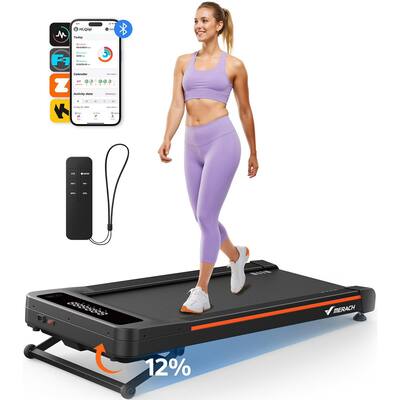
Is treadmill walking good for Pokémon GO progress?
Yes, treadmill walking can be a useful way to support Pokémon GO progress, especially when weather, safety, or time makes outdoor walking difficult.
Indoor walking also has fitness benefits. Regular walking can support heart health, muscle function, mood, and general activity levels. Health authorities commonly encourage adults to get regular moderate physical activity, but your ideal pace depends on your health and fitness level.
Pokémon GO can make a routine feel more engaging. A slow workout may seem easier when you are working toward an Egg hatch or Buddy Candy. Still, the game should not push you to ignore pain, dizziness, or unsafe conditions.
Use these habits:
• Start at a comfortable speed.
• Wear supportive shoes.
• Keep water nearby.
• Use the treadmill safety clip.
• Stop if you feel pain, faintness, or unusual shortness of breath.
• Keep your attention on your balance and surroundings.
The best result is a safe workout that also adds some in-game progress. The reward is helpful, but your health comes first.

Common treadmill problems and fixes
Pokémon GO records no steps
Check whether your phone’s health app records steps. If it does not, Pokémon GO cannot receive them through Adventure Sync.
Carry the phone while walking, review health permissions, and restart both apps. Also check whether a battery-saving feature is blocking background activity.
The health app shows steps, but Pokémon GO does not
Adventure Sync may be delayed. Wait a few minutes, open Pokémon GO, and check again.
If the problem continues, review the connection between Pokémon GO and your health app. Disconnecting and reconnecting the permission may help, but record your settings first.
The treadmill shows more distance than Pokémon GO
This is normal. The treadmill measures belt distance, while Pokémon GO may use phone-recorded steps and its own distance estimate.
Try carrying the phone in a pocket and walking without gripping the rails. You may improve step detection, but the totals may still differ.
The game shows strange GPS movement
Indoor GPS can be unstable. Small jumps may happen when your phone receives weak or reflected signals.
Do not try to create GPS movement on purpose. Play within the rules and rely on Adventure Sync for legitimate indoor activity.
Frequently Asked Questions
Does Pokémon GO count treadmill steps?
Yes, Pokémon GO may count treadmill steps through Adventure Sync. Your phone must record the steps and share them with the game through Apple Health, Google Fit, or a connected health service.
Does Pokémon GO need to be open on a treadmill?
No. Adventure Sync can record activity while Pokémon GO is closed. You still need to enable the feature and approve the correct health permissions.
Why is my treadmill distance not showing in Pokémon GO?
The treadmill may record belt distance, while Pokémon GO receives only phone-recorded steps. Carrying your phone, checking permissions, and waiting for synchronization can improve the result.
Can treadmill walking hatch Eggs in Pokémon GO?
Yes, treadmill walking may add distance toward Egg hatching when Adventure Sync records the movement. It is not guaranteed to match the treadmill’s distance exactly.
Can I earn Buddy Candy by walking on a treadmill?
You may earn Buddy Candy if the game records enough activity toward the Buddy’s walking requirement. Check your Buddy screen after syncing to confirm that progress was added.
Does walking on a treadmill move my Pokémon GO character?
Usually, no. Your character mainly moves when GPS detects a change in your real location, while treadmill walking keeps your phone in the same place.
Is using a treadmill to get Pokémon GO steps allowed?
Using a treadmill for genuine exercise and Adventure Sync tracking is generally a normal use of the game. Avoid GPS spoofing, automation, or tools that create false movement, since those actions can violate game rules.
Conclusion
So, does Pokémon GO work on a treadmill? Yes, but mainly through Adventure Sync. Treadmill walking can help with steps, Eggs, Buddy Candy, and weekly activity goals, while GPS-based map exploration, PokéStops, and location-based Pokémon still require real movement outdoors.
Carry your phone, enable Adventure Sync, approve health permissions, and test the setup before starting a long workout. Keep your workout safe, accept that distance totals may differ, and let Pokémon GO add fun to your routine. Try a short treadmill session today, then share what worked best for you.

Brandon Knoxley is a sport & fitness writer and training guide contributor at MySportFitHub. He focuses on practical workouts, performance-based training, and honest fitness gear insights designed for real people and real results. Brandon is passionate about helping beginners and active individuals train smarter, avoid common mistakes, and build sustainable fitness habits.