How To Turn On Nordictrack Treadmill: Quick Start Guide
Plug in the treadmill, insert the safety key, then press the power or Start button to turn it on.
I’ve worked with treadmills and fitness equipment for years, and I’ll walk you through how to turn on NordicTrack treadmill with clear, tested steps. This guide covers every model detail you need, from safety-key basics to console resets, so you can power up confidently and start your workout without guesswork. Read on for step-by-step instructions, troubleshooting tips, and real-life advice that makes turning on your NordicTrack treadmill simple and safe.
Quick start: Step-by-step to turn on NordicTrack treadmill
Here’s a fast, reliable sequence to get most NordicTrack treadmills powered and ready. Follow each step in order to avoid errors or safety locks.
- Plug the power cord firmly into a grounded outlet and into the treadmill.
- Locate and insert the safety key into the console slot. The machine will not start without it.
- Turn on the main power switch, usually located near the motor cover or rear of the deck.
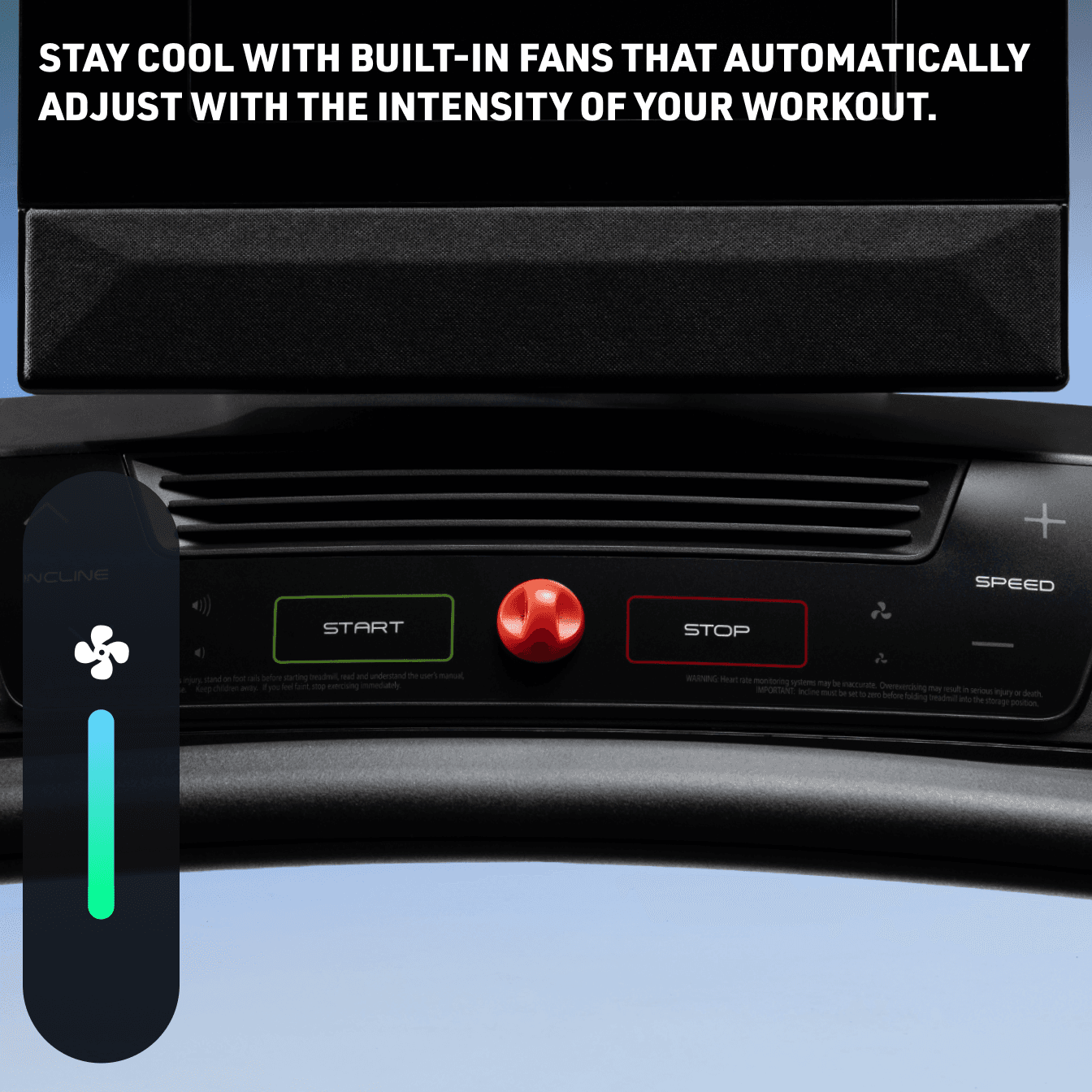
- Press the Start or Power button on the console to wake the display and begin a workout.
- Use the incline and speed buttons to confirm the console is responsive before stepping on.
These steps explain how to turn on NordicTrack treadmill for most console types. If your model uses a touchscreen, wait a few seconds after pressing Start for the interface to load.

Before you power on: safety checks and setup
Safety first. A few quick checks prevent damage and keep you safe while learning how to turn on NordicTrack treadmill.
- Confirm the treadmill is on a flat surface and plugged into a dedicated outlet.
- Check the power cord for cuts or frays and avoid using extension cords when possible.
- Ensure the safety key lanyard is attached to your clothing before inserting the key.
- Inspect the deck and belt for debris, loose screws, or visible damage.
Doing these checks reduces the chance of sudden stops or electrical issues when you turn on your NordicTrack treadmill. They also extend the life of the machine and prevent costly repairs.

Console, safety key, and power components explained
Understanding key parts helps when learning how to turn on NordicTrack treadmill and troubleshoot problems.
- Main power switch
Some models have a rocker switch near the motor cover. Turn it to the On position before using the console. - Safety key
A magnetic key that completes the electrical circuit. Machines refuse to start without it. - Console power or Start button
This button wakes the display. For touchscreen consoles, a brief wait may be needed as software loads. - Circuit breaker / reset
If the treadmill won’t power, check a reset switch near the power inlet or the home’s breaker box. - iFit and Wi‑Fi modules
These modules don’t affect basic power, but a stalled firmware update can sometimes delay startup.
Knowing these parts makes it easier to say why a treadmill won’t turn on and how to fix it. If your treadmill displays error codes when you try to power on, note the code—this helps narrow the issue.

Troubleshooting common power-up issues
If you followed basic steps and the treadmill still won’t start, try these focused fixes. They are the most common solutions when learning how to turn on NordicTrack treadmill fails.
- No power at all
Confirm outlet is live using another device. Test the treadmill with a different dedicated outlet. - Safety key issues
Clean the key slot and the magnetic key. Replace a worn or corroded key if the console won’t detect it. - Console frozen or blank
Turn the main power off for 30 seconds, then turn it back on. This soft reset often clears freezes. - Tripped circuit or blown fuse
Check the treadmill’s reset button near the power inlet and the home circuit breaker. - Firmware or software hang
If your console connects to iFit and stalls during an update, disconnect Wi‑Fi and restart the console.
If these steps don’t fix it, mark the precise behavior, lights, or error codes and contact customer service or an authorized technician. Being precise speeds diagnosis and reduces repair cost.

Practical examples and short PAA-style clarifications
Here are short answers to two common quick questions people have while learning how to turn on NordicTrack treadmill.
Is the safety key required to turn on the treadmill?
Yes. The safety key completes the circuit and disables power if it’s removed, so the console will not start without it.
What if the console powers but the belt won’t move?
Check the latch or safety clip on the key, confirm the treadmill is in “Run” mode, and test after increasing speed slowly. If the belt still won’t move, the motor or controller might need service.
These quick clarifications reflect what I’ve seen when training users and repairing home units. They clear up the most frequent early issues.

Using touchscreen consoles, Smart HD, and iFit
Modern NordicTrack consoles add features that can affect startup behavior. Here’s what to expect.
- Touchscreen startup
Touchscreens can take a few seconds to boot. Wait 15–30 seconds after pressing Start for full functionality. - iFit integration
Sign-in or pending updates can delay initial power-up. If setup stalls, disconnect Wi‑Fi and run a local test. - App prompts and updates
Occasionally, the console will prompt for a firmware update on power-up. Allow updates on a stable connection or postpone them before a workout.
Knowing how to turn on NordicTrack treadmill with a touchscreen helps avoid surprises. If an update repeatedly fails, contact support to avoid bricking the console.

Maintenance habits that help the treadmill power on reliably
Good maintenance keeps startup smooth. These simple routines prevent many power and safety key problems.
- Keep the deck clean and belts aligned.
- Dust vents around the motor to prevent overheating and false shutdowns.
- Inspect the safety key and console slot for dirt and corrosion.
- Use a surge protector or UPS to prevent damage from voltage spikes.
- Follow the manufacturer’s service schedule for lubricating the belt and checking motor brushes.
Routine care reduces startup failures and keeps your treadmill ready whenever you want to run. I recommend a quick monthly check and a deeper service every 6–12 months.
Personal experience and tips from real use
I’ve helped set up dozens of home treadmills. Here are honest tips that save time and frustration when learning how to turn on NordicTrack treadmill.
- Attach the safety key to a visible spot on your shirt before inserting it. It saves fumbling and prevents trips.
- When moving the treadmill, unplug it first and let the motor cool. I once tried to power up immediately and tripped a breaker.
- Label the breaker that feeds your treadmill circuit. Saves time if you need to check the home panel.
- If you suspect a failed power switch or motor controller, take photos and note LEDs or error codes before calling support. That made one service call faster and cheaper for me.
These small habits make powering on reliable and stress-free. They also help when explaining a problem to tech support.
Frequently Asked Questions of how to turn on nordictrack treadmill
How do I turn on a NordicTrack treadmill with a blank display?
Make sure the main power switch and outlet are working. Insert the safety key and try a soft reset by switching power off for 30 seconds, then back on.
What if my safety key won’t stay in the console?
Inspect the key and slot for debris or bent pins. If it still won’t engage, replace the safety key with a genuine part for reliable detection.
Can I use an extension cord to power my treadmill?
It’s not recommended. Use a grounded, dedicated outlet to avoid voltage drop, which can stall the motor or damage electronics.
Why does the treadmill power on but not accept speed commands?
That can be a console or controller issue. Try a full power cycle, check for firmware updates, and contact service if the problem persists.
How long should I wait for a touchscreen NordicTrack console to boot?
Wait at least 15–30 seconds after pressing Start. If the screen remains unresponsive longer, perform a power cycle and check for pending updates.
Conclusion
Turning on a NordicTrack treadmill is usually quick if you follow the right order: plug in, insert the safety key, flip the main power, and press Start. Keep safety checks, simple maintenance, and a few troubleshooting steps in your routine to avoid delays or damage. Try the steps now, and if something still feels off, document the behavior and reach out for support. If this guide helped, subscribe for more gear tips, leave a comment with your model and issue, or share your experience so others can learn.

Brandon Knoxley is a sport & fitness writer and training guide contributor at MySportFitHub. He focuses on practical workouts, performance-based training, and honest fitness gear insights designed for real people and real results. Brandon is passionate about helping beginners and active individuals train smarter, avoid common mistakes, and build sustainable fitness habits.