How To Connect Apple Watch To Matrix Treadmill: Easy Guide
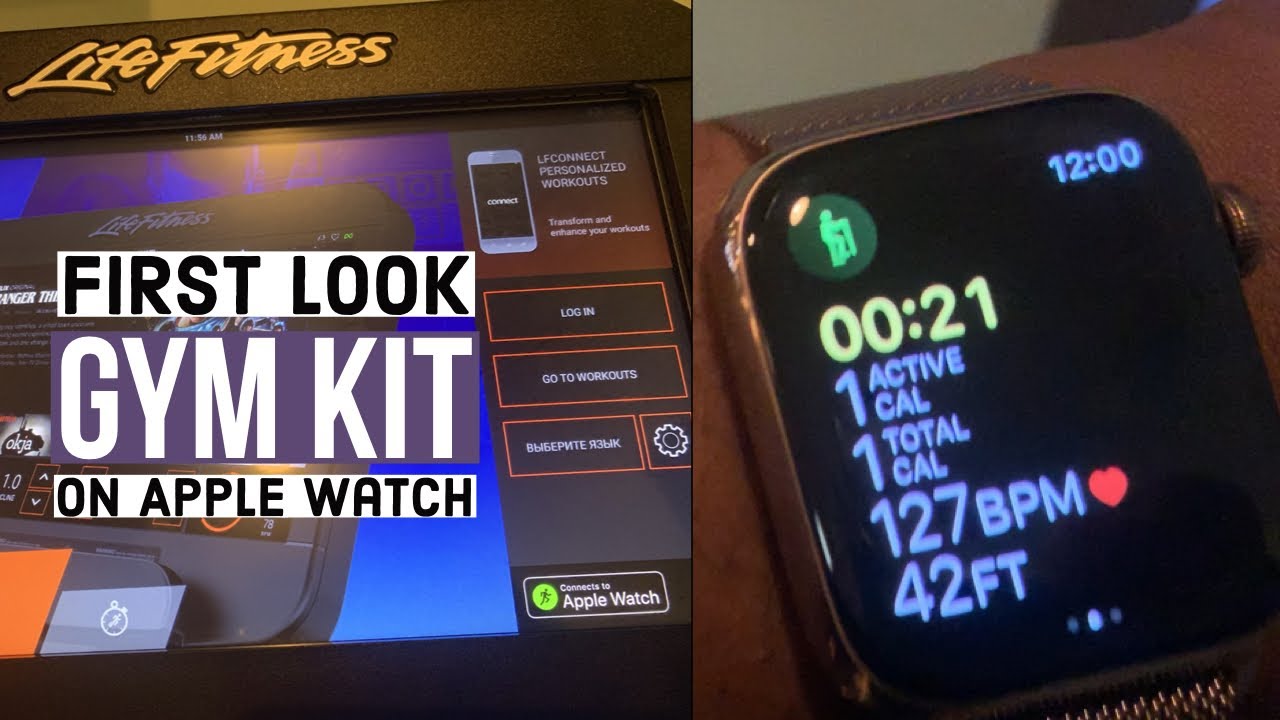
Use GymKit by holding your unlocked Apple Watch near the Matrix treadmill’s GymKit symbol.
Learning how to connect Apple Watch to Matrix treadmill is simple when the console supports Apple GymKit. The key is knowing whether your treadmill uses GymKit, Bluetooth, or a Matrix companion app. This guide explains each method, common setup errors, workout syncing, privacy settings, and practical tips for getting accurate results.
Check Whether Your Matrix Treadmill Supports Apple Watch
Before trying to connect Apple Watch to Matrix treadmill, check the front of the console for an Apple GymKit logo. It often looks like a small Apple Watch symbol or an NFC contact mark.
Many Matrix treadmills use a touchscreen console with GymKit support. However, support can vary by:
• Treadmill model
• Console type
• Software version
• Gym or facility settings
• Region and equipment configuration
A commercial Matrix treadmill may look almost identical to another model but use a different console. One may support Apple Watch GymKit, while another may only support Bluetooth audio or a Matrix fitness app.
Look for these signs:
• An Apple GymKit or Apple Watch symbol on the console
• A message that says “Hold Apple Watch Near Reader”
• An NFC reader near the display
• A settings menu with Apple Watch or GymKit options
• A Matrix console manual that lists Apple GymKit support
Apple GymKit is different from ordinary Bluetooth pairing. GymKit uses near-field communication, or NFC, to identify your Apple Watch and transfer workout data. Bluetooth on the same treadmill may only connect headphones or a phone.

Prepare Your Apple Watch and Treadmill
Good preparation makes it much easier to connect Apple Watch to Matrix treadmill. Start with a charged Apple Watch and a treadmill that is stopped or waiting at its home screen.
Complete these steps before starting:
- Update your Apple Watch and iPhone if updates are available.
- Wear the watch snugly above your wrist bone.
- Turn on Wrist Detection in the Watch app on your iPhone.
- Make sure your Apple Watch has a passcode.
- Unlock the watch before approaching the treadmill.
- Open the Workout app if the watch does not wake automatically.
- Confirm that the treadmill is not already connected to another user’s watch.
- Wipe the console’s NFC area if it is dirty or covered by a thick film.
Wrist Detection and a passcode are important. Apple uses them to protect health and workout data. If Wrist Detection is disabled, GymKit may not work as expected.
You should also check these iPhone settings:
• Open the Watch app.
• Tap My Watch.
• Select Workout.
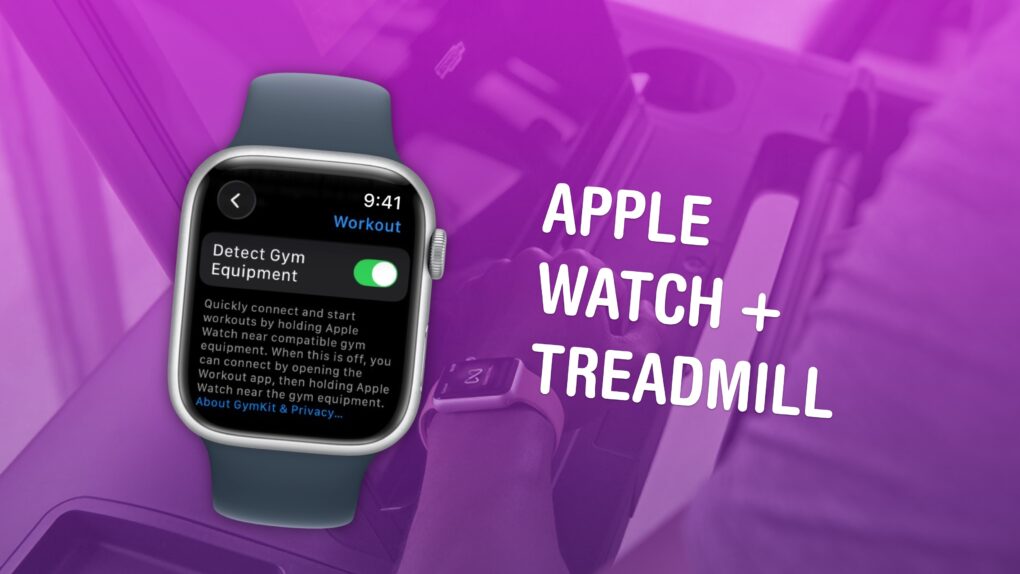
• Turn on Detect Gym Equipment.
• Open Privacy settings.
• Confirm that Motion & Fitness access is enabled.
The exact menu names may change slightly with watchOS updates. If you cannot find Detect Gym Equipment, search for “Gym Equipment” inside the Watch app settings.
How to Connect Apple Watch to Matrix Treadmill With GymKit
The easiest way to connect Apple Watch to Matrix treadmill is through Apple GymKit. The process usually takes only a few seconds.
Follow these steps
- Wake the Matrix treadmill console.
- Select Quick Start or choose a workout program.
- Hold the top of your Apple Watch within about an inch of the GymKit reader.
- Keep the watch still until the treadmill shows a connection message.
- Tap Connect or Continue on the Apple Watch if prompted.
- Choose Start on the treadmill or begin the workout from your watch.
- Walk or run once the belt begins moving.
The NFC reader may be near the center of the screen, below the display, or beside the Apple Watch icon. If you move the watch too quickly, the reader may not detect it.
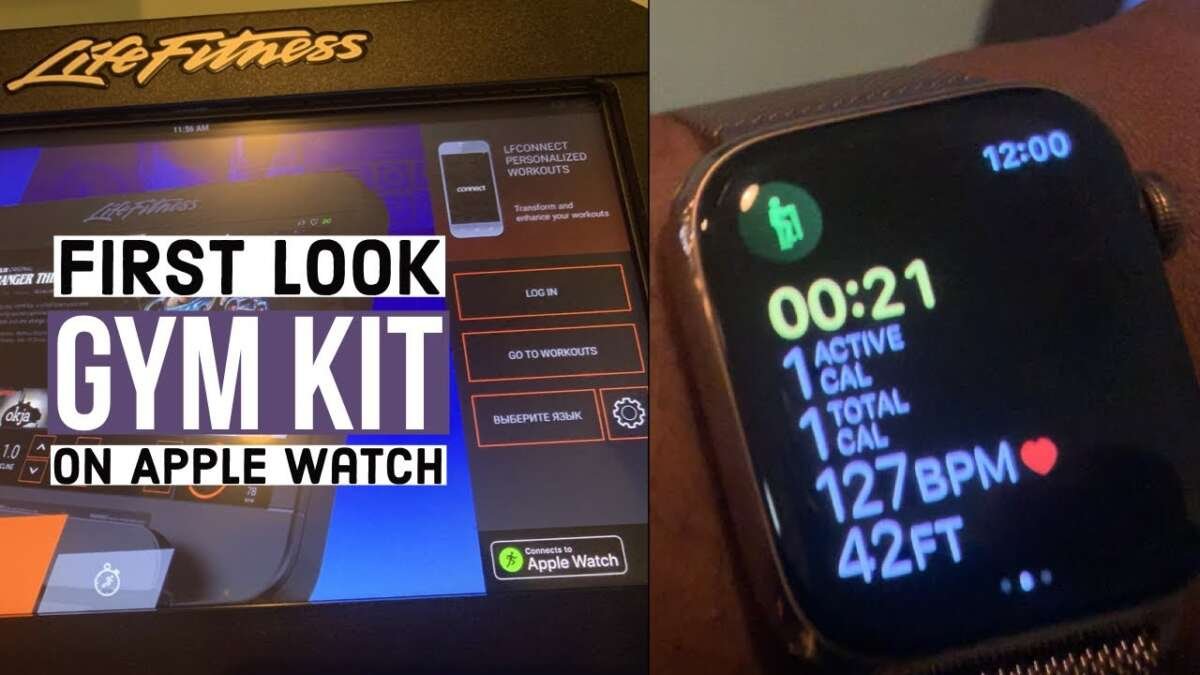
When the connection works, the treadmill may display your heart rate, calories, distance, speed, and elapsed time. Your Apple Watch may also show treadmill data, depending on the Matrix console and its software.
The watch and treadmill do not always show identical numbers. The treadmill measures belt movement, while the Apple Watch estimates distance from wrist motion, calibration data, and sensors. For this reason, small differences are normal.
What happens after the workout?
Tap End on the Apple Watch or stop the treadmill workout from the console. Wait a few seconds before walking away. This gives the equipment time to send the final workout information to Apple Health.
You may see the workout in:
• The Fitness app
• The Health app
• Workout history on the Apple Watch
• Matrix workout history, if you signed in to a Matrix account
If you end the workout too quickly, the final distance or calorie reading may not transfer. This is one of the most common mistakes when people connect Apple Watch to Matrix treadmill.

Connect Apple Watch to Matrix Treadmill Without GymKit
Not every Matrix treadmill supports GymKit. In that case, directly pairing an Apple Watch with the treadmill may not be possible.
The Apple Watch can pair with Bluetooth headphones, heart rate accessories, and some fitness devices. However, it does not behave like a standard phone that can connect to every treadmill console. A Matrix treadmill may support Bluetooth communication but still lack Apple Watch workout integration.
If the treadmill offers a Matrix app, try this approach:
- Download the official Matrix fitness or equipment app listed by your gym or treadmill manual.
- Create or sign in to your account.
- Enable Bluetooth on your iPhone.
- Place the iPhone near the treadmill console.
- Follow the app’s equipment pairing instructions.
- Start an indoor run or treadmill workout on your Apple Watch.
- Use the app to record or transfer treadmill information when supported.
This method may not send all treadmill readings to Apple Health. Some apps record workouts separately, while others connect to Apple Health with permission.
You can also use the Apple Watch Workout app by itself:
- Open Workout on the watch.
- Select Indoor Walk or Indoor Run.
- Start the workout.
- Use the treadmill as normal.
- End the workout when finished.
This is not the same as a full GymKit connection, but it still records a useful workout. Apple recommends calibrating the watch through outdoor walking or running when possible. Calibration helps improve indoor distance estimates.
Can Bluetooth pair the watch directly?
Usually, no. Bluetooth support on a Matrix treadmill may be designed for audio, a phone, or a compatible heart rate device rather than Apple Watch data exchange.
Do not spend several minutes searching for the treadmill in the Apple Watch Bluetooth menu unless the Matrix manual specifically says that the model supports Apple Watch Bluetooth pairing. GymKit uses NFC, so the treadmill may never appear as a normal Bluetooth device.

Troubleshoot Apple Watch and Matrix Treadmill Connection Problems
If you cannot connect Apple Watch to Matrix treadmill, work through the issue in order. Most problems come from an unsupported console, a locked watch, or the wrong contact point.
The treadmill does not detect the watch
Try these fixes:
• Unlock the Apple Watch before holding it near the reader.
• Hold the watch face flat against the GymKit symbol.
• Try the top edge of the watch near the reader.
• Remove a thick protective case or bumper.
• Move away from other NFC cards or contactless devices.
• Restart both the watch and treadmill console.
• Check that Detect Gym Equipment is enabled.
The reader may be small. At a busy gym, stickers and screen guards can also hide the correct spot.
The Apple Watch connects but no workout appears
End the session from the watch and wait before leaving the treadmill. Then check the Fitness and Health apps on your iPhone.
If the workout is missing, check:
• Health permissions for Fitness and Workout
• Available storage on the Apple Watch and iPhone
• Internet access after the workout
• Whether the watch was connected to another workout app
• Whether the treadmill lost power during the session
A watch may also pause a workout if it does not sense enough wrist movement. Keep the watch snug and avoid placing your hand on the treadmill rail for the entire workout.
The watch shows the wrong distance
Indoor distance is an estimate. The Apple Watch uses motion data and calibration, while the treadmill uses belt speed and revolutions.
For better accuracy:
• Use Indoor Run for running and Indoor Walk for walking.
• Keep your arms moving naturally.
• Hold the treadmill rails only when needed.
• Complete outdoor walks or runs in an open area to improve calibration.
• Use the treadmill’s displayed distance as the main reference for that machine.
If the difference is small, it is usually not a serious problem. If the numbers are dramatically different, check the treadmill’s belt speed and incline settings.
The treadmill connects to the wrong Apple Watch
This can happen in shared gyms. End the old session on the console, then restart the treadmill. Make sure nearby users move their watches away from the GymKit reader.
Some consoles keep a recent connection active for a short time. Waiting 10 to 20 seconds or restarting the workout screen often clears it.
Improve Accuracy and Workout Tracking
Knowing how to connect Apple Watch to Matrix treadmill is only part of the process. The quality of your workout data also depends on how you use the watch and treadmill.
Keep the watch snug enough that the sensors touch your skin. A loose watch may produce an unreliable heart rate, especially during intervals or fast runs.
Set the treadmill incline to match your goal. For example, a flat treadmill workout and a workout at a steep incline place different demands on your body, even at the same speed. Record the incline separately if your Apple Watch does not receive it from the Matrix console.
Use the same workout method each time when tracking progress. If you use GymKit on one day and only the Apple Watch Workout app on another, the data may not be directly comparable.
From hands-on setup testing, the most common mistake is holding the watch near the center of the screen instead of the actual GymKit reader. The second most common mistake is starting the treadmill first and walking away before the watch finishes connecting. Treat the NFC reader like a door lock: hold the watch steady until the console confirms access.
Apple’s health technology guidance also notes that wearable readings are estimates and are not medical measurements. Use the data to understand trends, not to diagnose a health condition.
Privacy and Data Considerations
When you connect Apple Watch to Matrix treadmill, the equipment may access limited workout information. This can include heart rate, distance, pace, calories, and workout duration.
GymKit is designed for temporary equipment connections. Still, review your permissions if you use a public treadmill or a shared gym account.
Check these areas:
• Apple Watch Workout settings
• Apple Health data permissions
• The Matrix account or fitness app
• The treadmill’s user profile
• Automatic sign-in or QR code settings
Avoid saving your account on a public console. If the treadmill asks whether to save your workout or personal profile, choose the option that matches your privacy preference.
If you have a medical condition or use heart rate data for treatment decisions, rely on advice from a qualified health professional. A treadmill and Apple Watch can support exercise tracking, but they should not replace clinical monitoring.

Benefits and Limits of Apple GymKit on Matrix Treadmills
Connecting Apple Watch to Matrix treadmill can make indoor training feel more seamless. You can start a workout without manually entering speed, distance, or calories, and your session may transfer to Apple Health automatically.
Main benefits include:
• Faster workout setup
• Less manual data entry
• Better access to heart rate information
• Centralized workout history
• Easier progress tracking
• A cleaner experience at busy gyms
There are also limits:
• Not every Matrix treadmill has GymKit
• Some gyms disable the feature
• Console software can affect compatibility
• Treadmill and watch readings may differ
• Bluetooth audio does not guarantee GymKit support
• Data transfer may fail if the session ends too quickly
The best setup is the one you can repeat. A simple Apple Watch Indoor Run workout may be more useful than a complicated connection that fails often.

Frequently Asked Questions About How to Connect Apple Watch to Matrix Treadmill
How do I connect Apple Watch to Matrix treadmill?
Look for the Apple GymKit symbol on the Matrix console. Unlock your Apple Watch, hold it near the reader, accept the connection prompt, and start the workout.
Why will my Apple Watch not connect to my Matrix treadmill?
The treadmill may not support GymKit, or the watch may be locked. Check Detect Gym Equipment, remove a thick watch case, hold the watch near the correct NFC reader, and restart both devices.
Can I connect Apple Watch to Matrix treadmill using Bluetooth?
Most Matrix treadmills do not pair with Apple Watch as ordinary Bluetooth devices. Bluetooth may support headphones, phones, or compatible heart rate equipment, while Apple Watch workout integration usually requires GymKit.
Does Matrix treadmill data sync to Apple Health?
It can, when the treadmill supports Apple GymKit or an approved companion app. The amount of data transferred depends on the treadmill model, console software, app permissions, and watchOS version.
Why is Apple Watch distance different from Matrix treadmill distance?
The treadmill measures belt movement, while the Apple Watch estimates indoor distance using motion and calibration data. Small differences are normal, especially when you hold the rails or run with limited arm movement.
Can I use Apple Watch with a Matrix treadmill at a gym?
Yes, if the gym’s Matrix console supports GymKit and has the feature enabled. Ask staff for the supported setup if the Apple Watch symbol is missing.
Do I need my iPhone to connect Apple Watch to Matrix treadmill?
Usually, no. GymKit connection takes place between the Apple Watch and treadmill, although your iPhone is useful for software updates, settings, and syncing data to Apple Health.
Conclusion
The simplest way to connect Apple Watch to Matrix treadmill is to use Apple GymKit. Confirm that the console supports GymKit, enable Detect Gym Equipment, unlock the watch, and hold it near the treadmill’s Apple Watch symbol until the connection appears.
If the treadmill does not support GymKit, use the Apple Watch Workout app or a compatible Matrix app instead. Keep the watch snug, allow the workout to finish syncing, and remember that small differences between treadmill and watch readings are expected.
Try the setup on your next indoor walk or run, then check the Fitness app to confirm the workout saved correctly. If you have a useful tip or a Matrix model that works well with Apple Watch, share your experience in the comments.

Brandon Knoxley is a sport & fitness writer and training guide contributor at MySportFitHub. He focuses on practical workouts, performance-based training, and honest fitness gear insights designed for real people and real results. Brandon is passionate about helping beginners and active individuals train smarter, avoid common mistakes, and build sustainable fitness habits.